Blood Hunt in Marvel Rivals has grown far beyond its original launch version. With hero leveling, Legendary gear, Gear Enhancement, Refining, hidden bosses, rewards, and 300 Nightmare Floors, it can be difficult to know what you should focus on first.
This guide explains how Blood Hunt works, how to build your hero, how to unlock Kingpin, what rewards you can earn, and how to progress toward the newest Nightmare endgame.
What Is Blood Hunt in Marvel Rivals?
Blood Hunt is a limited-time PvE mode in Marvel Rivals. You team up with three other players, or play solo, and fight through waves of vampires and powerful bosses across the city.The main goals are:
- Survive enemy waves
- Defeat bosses
- Level your Blood Hunt heroes
- Collect and improve gear
- Progress through Nightmare Floors
- Complete challenges and earn rewards
It is similar to the older Marvel Rivals Zombies mode, but Blood Hunt has much deeper character progression, equipment, builds, and scaling endgame difficulty.
Blood Hunt Event Dates
Blood Hunt was originally scheduled to end much earlier, but Marvel Rivals has now extended the event into October.- Blood Hunt Start Date: April 23, 2026
- Blood Hunt Double XP Ends: October 5, 2026 at 09:00 UTC
- Blood Hunt End Date: October 9, 2026 at 09:00 UTC
This gives players much more time to reach the higher Nightmare Floors, improve all six heroes, and collect the remaining Blood Hunt rewards.
How to Start Blood Hunt in Marvel Rivals
To play Blood Hunt, open the game mode playlist and go to the Rivalry tab. From there, select the Blood Hunt icon, choose your available difficulty, and queue for a match.- Open Playlist
- Go to Rivalry
- Select Blood Hunt
- Choose your difficulty or Nightmare Floor
- Select your hero
- Queue for the match
All Playable Characters in Blood Hunt
Blood Hunt has six playable heroes, each with different abilities, Traits, Exclusive Gear, and viable builds.For a full breakdown of which characters are currently strongest, check our Marvel Rivals Blood Hunt Tier List.
- Blade
- Moon Knight
- Jeff the Land Shark
- Squirrel Girl
- The Punisher
- Thor
Duplicate heroes are allowed, so multiple players can use the same character in a squad.
The important thing to remember is that hero levels are character-specific. Leveling Moon Knight does not increase the level of Thor, Blade, or your other Blood Hunt heroes.
If you want to bring another hero up to the level needed for higher Nightmare Floors, our Blood Hunt Leveling service can help with the character-specific grind.
Blood Hunt Level Cap vs Nightmare Floor Cap
These are two completely different progression systems and are easy to confuse.- Maximum Hero Level: Level 60
- Maximum Nightmare Difficulty: Floor 300
- Newest Major Reward Target: Floor 260
Your individual hero stops gaining normal character levels at Level 60. After that, your main source of extra power comes from better Legendary gear, strong Extended Effects, Gear Enhancement, Gear Refining, Traits, and Arcana.
Nightmare difficulty can continue far beyond your hero level. The current maximum is Nightmare Floor 300.
How Blood Hunt Progression Works
Blood Hunt progression is built around several systems working together. Hero level matters early, but gear quality and build optimization become much more important once you reach the higher Nightmare Floors.Hero Levels
Each Blood Hunt hero levels separately and can reach a maximum of Level 60.Higher hero levels let you use higher-level gear and gain more Trait progression. Because levels do not carry between heroes, focusing on one main character first is usually the fastest way to reach the endgame.
Gear System
Gear increases your hero's stats and becomes one of the most important parts of Blood Hunt progression.Each hero has four gear slots:
- Weapon: Improves damage and offensive effects
- Armor: Improves health, defense, and survival
- Accessory: Provides additional combat stats and effects
- Exclusive: Hero-specific gear that improves certain abilities or builds
Gear also has different rarities. Higher rarity gear contains more Extended Effects:
- Normal: 0 Extended Effects
- Advanced: 1 Extended Effect
- Rare: 2 Extended Effects
- Epic: 3 Extended Effects
- Legendary: 5 Extended Effects
Do not automatically equip an item only because its Gear Rating is higher. A slightly weaker piece with Extended Effects that perfectly fit your build can produce much more damage or survivability.
Once you reach Level 60, strong Level 60 Legendary gear becomes the main foundation for serious Nightmare progression.
Traits
Traits work like a character-specific skill tree. You spend Trait points to improve stats, change abilities, and specialize your hero toward a specific build.Do not spread your points randomly. Decide which build you want to play and prioritize the Traits that improve its main damage source, survivability, or ability rotation.
Arcana
Arcana gives your hero additional passive bonuses and temporary upgrades during Blood Hunt runs.During a match, you will regularly choose Arcana cards. Do not simply choose the highest-rarity option every time. Pick effects that work with the stats, Traits, and abilities your build already focuses on.
Forge and Scrap System
Blood Hunt gives you a large amount of unwanted gear as you play. Instead of keeping everything, scrap weak items for Uru Shards.You can then use the Forge to create gear for a selected hero and gear slot.
- Scrap unwanted gear for Uru Shards
- Select the hero you want to improve
- Choose the gear slot you need
- Forge another piece of gear
- Repeat until you find useful Extended Effects
Forging still involves RNG, so you may need many attempts before receiving a piece that fits your build.
Gear Enhancement
Gear Enhancement was added as part of the July Blood Hunt update. It lets you improve gear you already own instead of relying only on new drops.Enhancing a gear piece increases its existing Base Effects and Extended Effects without changing its level or rarity.
Enhancement uses:
- Uru Shards
- Eternal Ember
Gear can be enhanced up to +10. When a piece reaches +10, the Forge can upgrade one of its eligible non-S-rank Extended Effects to S rank.
This makes Enhancement extremely valuable once you have found Level 60 Legendary gear with effects that are already good for your build.
Avoid spending large amounts of Eternal Ember upgrading temporary gear that you plan to replace.
Gear Refining
Gear Refining solves a different problem. Instead of increasing all the stats on an item, Refining lets you reroll one Extended Effect.This is useful when a Legendary item has four excellent effects but one bad stat that does nothing for your build.
There is one important restriction:
- You can designate only one Extended Effect slot on each gear piece for Refining
- You can reroll that chosen slot multiple times
- The replacement effect can roll at different ranks, including S rank
- Available effects depend on the gear type
Choose your Refining slot carefully. Ideally, the other Extended Effects on the item should already be worth keeping before you commit resources.
Dew of Insight
The July update also added a new rare enemy drop called Dew of Insight.Dew of Insight gives an instant EXP boost to a Blood Hunt hero of your choice. This is especially useful for leveling secondary characters because hero progression is not shared between the six playable heroes.
Instead of starting every new hero completely from scratch through normal runs, you can use saved Dew of Insight to speed up their progression toward Level 60.
Blood Hunt Leveling
Level Your Blood Hunt Heroes Faster
Blood Hunt progression is separate for every hero. Our Blood Hunt Leveling service can help you level your chosen character and prepare it for higher Nightmare Floors without repeating the entire grind yourself.
All Blood Hunt Bosses
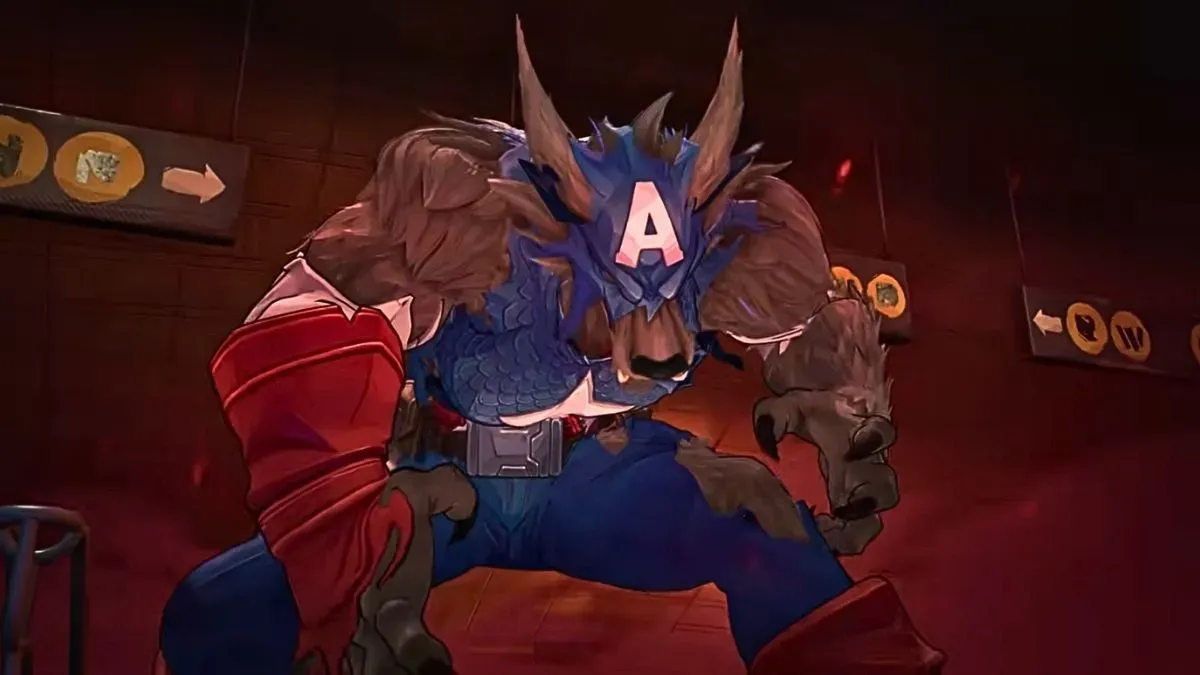
You will fight several different bosses while progressing through Blood Hunt.- Capwolf
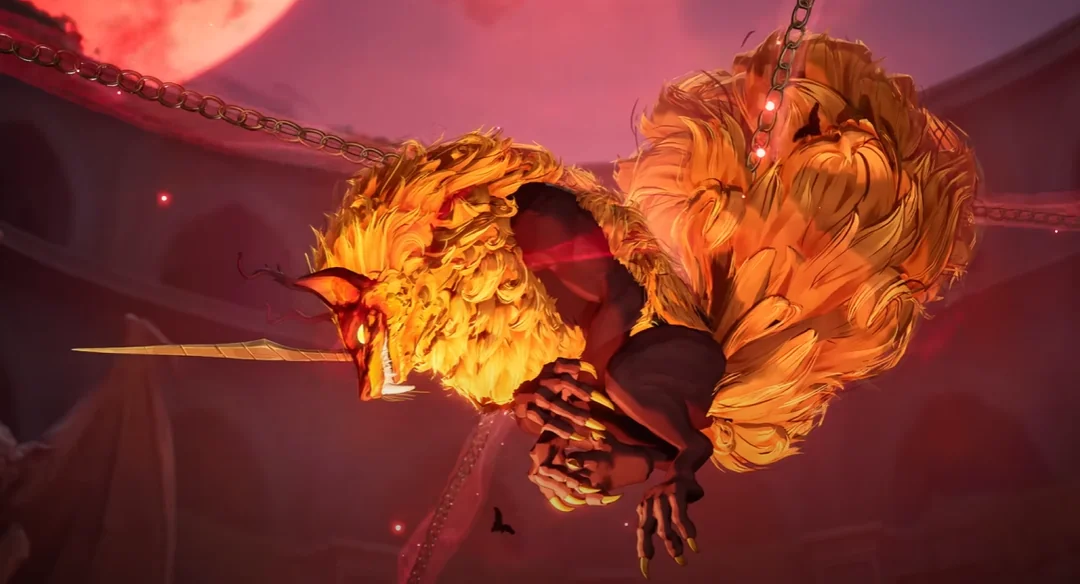
- Ratatoskr
- Dracula
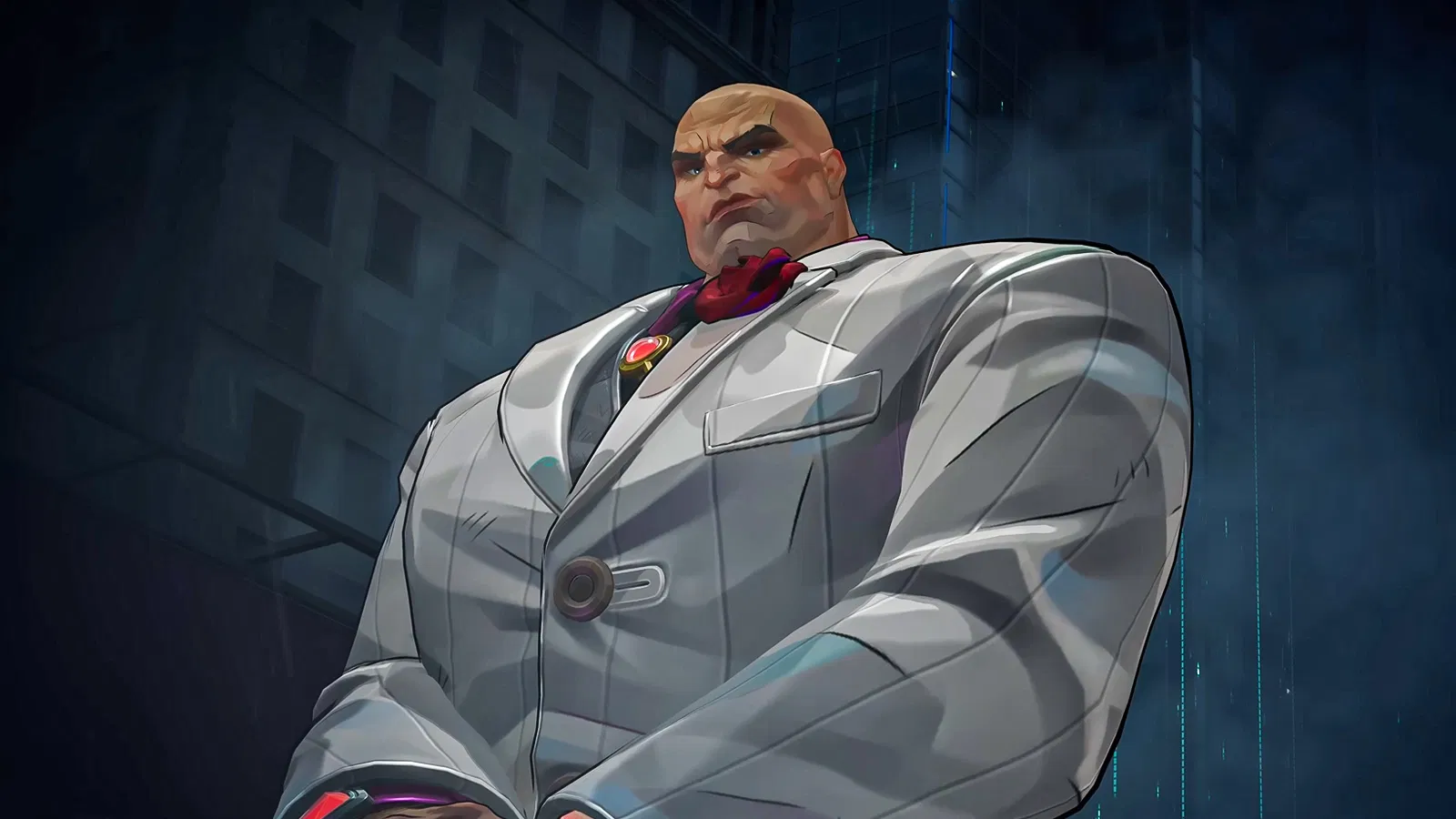
- Kingpin, the hidden boss
Dracula is the main final boss of the standard Extreme route. Kingpin is the hidden encounter you can unlock by completing the special objectives during an Extreme run.
Nightmare works differently and can place you against different boss combinations depending on the Floor.
Best Blood Hunt Progression Path
If you are starting Blood Hunt now, do not immediately worry about Nightmare 260 or 300. Build one strong hero first and climb in stages.A simple progression path is:
- Step 1: Clear Normal several times and learn your hero
- Step 2: Move into Hard once your early gear improves
- Step 3: Clear Extreme and learn the full boss mechanics
- Step 4: Unlock Nightmare and start climbing its early Floors
- Step 5: Level your main hero toward Level 60
- Step 6: Farm Level 60 Legendary gear with useful Extended Effects
- Step 7: Use Enhancement and Refining on gear worth keeping
- Step 8: Complete the major reward milestones through Nightmare 120
- Step 9: Optimize your endgame build and push toward Nightmare 260
- Step 10: Attempt Nightmare 300 if you want to complete the current maximum difficulty
Extreme remains an important early checkpoint because it introduces Dracula and allows you to unlock the hidden Kingpin encounter by completing the required objectives.
Once your hero reaches Level 60, raw character levels stop carrying you forward. Your gear rolls, S-rank effects, Traits, Arcana choices, Enhancement level, and ability to survive boss mechanics become much more important.
Blood Hunt Difficulty Levels Explained
| Difficulty | Description | Best For |
|---|---|---|
| Normal | Entry-level Blood Hunt difficulty used to learn the mode and start collecting gear. | New players |
| Hard | Enemies and bosses become stronger and better preparation is required. | Early progression |
| Extreme | Introduces the full boss route and the hidden Kingpin objectives. | Experienced players |
| Nightmare 1-300 | Scaling endgame difficulty with hundreds of Floors, stronger enemies, better progression opportunities, and milestone rewards. | Endgame progression |
All Blood Hunt Rewards and Challenges
Blood Hunt contains rewards from normal difficulty clears, Nightmare milestones, hero-specific achievements, enemy kills, and the hidden Kingpin encounter.Difficulty and Nightmare Rewards
| Challenge | Reward |
|---|---|
| Clear Normal for the first time | 100 Units + King in Exile Gallery Card |
| Clear Hard for the first time | 100 Unstable Molecules + Squirrel Gone Wild Gallery Card |
| Clear Extreme for the first time | 100 Units + Hunting Season Gallery Card |
| Defeat the Hidden Boss in Extreme | Kingpin Dethroned Accessory + Animal Instinct Gallery Card |
| Clear Nightmare 5+ | Bawling Bloodsucker Mood |
| Clear Nightmare 10+ | 100 Units |
| Clear Nightmare 15+ | Grim Harvest Mood |
| Clear Nightmare 20+ | 100 Unstable Molecules + 10 Kingpin Dethroned Trophy Shards |
| Clear Nightmare 25+ | Feral Fangs Mood |
| Clear Nightmare 30+ | 100 Units |
| Clear Nightmare 35+ | Awooo! Mood |
| Clear Nightmare 40+ | 100 Unstable Molecules + 10 Kingpin Dethroned Trophy Shards |
| Clear Nightmare 45+ | Catching Z's Mood |
| Clear Nightmare 50+ | 100 Units |
| Clear Nightmare 55+ | Royal Disdain Mood |
| Clear Nightmare 60+ | 100 Unstable Molecules + 10 Kingpin Dethroned Trophy Shards |
| Clear Nightmare 65+ | Black and Blue Mood |
| Clear Nightmare 70+ | 100 Units |
| Clear Nightmare 80+ | 10 Kingpin Dethroned Trophy Shards |
| Clear Nightmare 100+ | Bane of All Evil Title + 10 Kingpin Dethroned Trophy Shards |
| Clear Nightmare 120+ | 10 Kingpin Dethroned Trophy Shards |
| Clear Nightmare 260+ with a hero | 100 Units, once per hero |
Nightmare 40 and 70 Hero Rewards
Each playable character also has its own rewards for clearing Nightmare 40 and Nightmare 70.| Hero | Nightmare 40+ Reward | Nightmare 70+ Reward |
|---|---|---|
| The Punisher | Vampiric Vengeance Emoji | Fearless Executioner Title |
| Squirrel Girl | Back Off, Bloodsucker! Emoji | Ravenous Rodent Title |
| Thor | Missed Me! Emoji | Purifying Thunder Title |
| Moon Knight | Blood Moon Knight Emoji | Midnight Mercenary Title |
| Blade | Blood & Thorns Emoji | Daywalking Duelist Title |
| Jeff the Land Shark | Count Jeffula Emoji | Jeff the Night Shark Title |
Blood Hunt Enemy Kill Rewards
You can also earn rewards simply by defeating large numbers of enemies across your Blood Hunt runs.| Enemies Defeated | Reward |
|---|---|
| 5,000 | 100 Unstable Molecules + Sweet Revenge Gallery Card |
| 10,000 | 100 Units + Fall of the Kingpin Gallery Card |
| 15,000 | Dracula's Demise Spray |
| 20,000 | 100 Unstable Molecules |
| 30,000 | 100 Units |
| 40,000 | Blood Hunt Nameplate |
Nightmare 260 Reward Explained
The July update added one of the most valuable new Blood Hunt rewards.Clearing Nightmare Floor 260 with a hero rewards 100 Units.
The important part is that the reward is limited to one claim per hero, not one claim per account.
Because Blood Hunt has six playable heroes, you can earn:
- 100 Units with Blade
- 100 Units with Moon Knight
- 100 Units with Jeff the Land Shark
- 100 Units with Squirrel Girl
- 100 Units with The Punisher
- 100 Units with Thor
That means clearing Nightmare 260 with all six characters can provide up to 600 Units.
This is now one of the biggest reasons to level and gear more than one Blood Hunt hero.
Is There a Reward for Nightmare 300?
Nightmare Floor 300 is currently the maximum Blood Hunt difficulty.However, NetEase specifically attached the newest Unit reward to Floor 260, not Floor 300. No separate guaranteed reward specifically for clearing Floor 300 was announced with the Floor 300 expansion.
This means the important targets are:
- Nightmare 120: Finish the original Trophy Shard achievement milestones
- Nightmare 260: Earn 100 Units for that hero
- Nightmare 300: Reach the current maximum Blood Hunt challenge
If your main goal is rewards, Floor 260 is currently the more important milestone. Floor 300 is primarily the final endgame challenge for highly optimized builds.
Blood Hunt Nightmare
Need Help Reaching Nightmare 260 or 300?
High Nightmare Floors require a Level 60 hero, strong gear, optimized effects, and clean boss mechanics. Our Marvel Rivals Blood Hunt Boost can help with Nightmare clears, Kingpin, rewards, and high-floor progression.
Kingpin Dethroned and Kingpin Dethroned Trophy Accessories
Blood Hunt has two different Kingpin accessories, and they should not be confused.Kingpin Dethroned Accessory
The regular Kingpin Dethroned Accessory is earned by defeating the hidden Kingpin boss in Extreme for the first time.You also receive the Animal Instinct Gallery Card for completing the achievement.
Kingpin Dethroned Trophy Accessory
The Kingpin Dethroned Trophy Accessory is the more difficult golden version.You need to collect 100 Kingpin Dethroned Trophy Shards and use them to craft the accessory.
Guaranteed Trophy Shards are available from these Nightmare milestones:
- Nightmare 20: 10 Shards
- Nightmare 40: 10 Shards
- Nightmare 60: 10 Shards
- Nightmare 80: 10 Shards
- Nightmare 100: 10 Shards
- Nightmare 120: 10 Shards
That gives you 60 guaranteed Shards from the milestone achievements. Additional Trophy Shards can also drop from Nightmare 20+ runs, allowing you to farm the remaining amount needed for 100.
Once you earn the Kingpin Dethroned Trophy Accessory, you also automatically unlock its exclusive Accessory Emote. The Emote can be used while the accessory is equipped.
How to Beat Dracula

Dracula is one of the most punishing Blood Hunt bosses because taking unnecessary damage can make the encounter much harder.
Key Rule
- Prioritize survival until the final phase
Important Dracula Mechanics
- Taking damage can heal Dracula
- He gains stronger abilities as the fight progresses
- His teleport and grab attacks can quickly kill unprepared players
- During one phase, Dracula disappears and floating swords appear around the arena
- Destroy the floating swords to continue the encounter
The biggest mistake is trying to maximize damage while repeatedly getting hit. A slower clean run is usually better than dealing more damage while constantly restoring Dracula's health.
Final Phase Strategy
- Break the crystals to activate sunlight
- Use the sunlight mechanic to survive the dangerous attacks
- Save major damage abilities for vulnerability windows
- Avoid wasting revives if Dracula still has a large amount of health
For a more detailed strategy, check our complete guide on how to beat Dracula in Marvel Rivals Blood Hunt.
How to Unlock the Hidden Boss Kingpin
To unlock Kingpin during an Extreme run, you must complete three hidden objectives before finishing the Dracula encounter.
Each successful objective gives you part of the hidden route needed to reach Kingpin.
Phase 4: Bridge
- Destroy the barrier within 90 seconds
- Focus on the objective instead of wasting time fighting unnecessary enemies
Phase 7: Ruins
- Destroy the Bloodclot Buds
- The number of required buds increases with more players
- Split up if your team is strong enough to clear them faster
Phase 12
- Break the magic circle within 120 seconds
- Focus the crystals and objective mechanics first
- Avoid losing time on enemies that do not need to be killed
If all three hidden objectives are completed correctly, defeating Dracula sends your team to Times Square for the secret Kingpin boss fight.
For the full route, check our dedicated Kingpin hidden boss guide.
Tips to Beat Kingpin
Kingpin hits hard and can punish players who stop moving or fail his special mechanics.- Break out of his trance as quickly as possible
- Use movement inputs to escape the trance mechanic
- Hide behind objects during his large AoE explosion
- Keep moving instead of standing in one location
- Save defensive abilities for dangerous attack sequences
- Do not waste Lifeline Serum on a run that is already lost
The first Kingpin clear is especially valuable because it unlocks the regular Kingpin Dethroned Accessory.
Best Tips to Progress Faster in Blood Hunt
With 300 Nightmare Floors and six separately leveled heroes, efficient progression matters much more than it did when Blood Hunt first launched.- Focus on one main hero first. Get one character strong enough to farm higher content before spreading resources across the full roster.
- Reach Level 60 before heavily investing in gear. Level 60 Legendary pieces are much better long-term Enhancement targets.
- Do not Enhance every Legendary item. Save Eternal Ember for pieces with several Extended Effects that already fit your build.
- Choose your Refine slot carefully. Only one Extended Effect slot can be designated for Refining on each piece.
- Use Dew of Insight on secondary heroes. It is one of the fastest ways to reduce the character-specific leveling grind.
- Play coordinated squads for difficult milestones. Strong team composition becomes increasingly important at high Nightmare Floors.
- Farm difficulties you can clear consistently. Repeated failed attempts at a much higher Floor can be less efficient than fast successful runs.
- Kill glowing yellow loot enemies. Do not let valuable loot enemies escape when you can safely kill them.
- Keep useful gear from failed pushes. A failed clear can still improve your build.
- Save Lifeline Serum for important moments. Repeatedly reviving into a nearly impossible boss fight wastes resources.
- Learn boss mechanics. High Nightmare progression cannot be brute-forced only through Gear Rating.
- Build toward Nightmare 260 on multiple heroes. Each hero can earn the 100 Unit Floor 260 reward once.
Marvel Rivals Blood Hunt Boosting
Blood Hunt now requires much more time to fully complete than it did at launch. Leveling multiple heroes, farming good Legendary gear, collecting Trophy Shards, and reaching Nightmare 260 or 300 can take a significant amount of grinding.Our Marvel Rivals Blood Hunt Boosting service can help with:
- Nightmare Floor progression
- Nightmare 260 clears for the 100 Unit hero reward
- Nightmare 300 clears
- Hidden Kingpin boss completion
- Kingpin reward progression
- Blood Hunt reward farming
- Hero progression
- Play With Booster options
All progression is completed through manual gameplay. You can choose the Blood Hunt target you need instead of grinding through the entire mode yourself.
Final Thoughts
Blood Hunt has become one of the deepest PvE modes Marvel Rivals has released. The addition of Gear Enhancement, Refining, Dew of Insight, and Nightmare Floors up to 300 gives endgame players much more progression than the original version of the event.For most players, the best approach is to build one Level 60 hero first, complete the main reward milestones, optimize Level 60 Legendary gear, and then start pushing the higher Floors.
Nightmare 260 is currently the key late-game reward target because every hero that clears it can earn 100 Units. Nightmare 300 is the final challenge for players who want to reach the current Blood Hunt difficulty cap.
Blood Hunt is currently scheduled to remain available until October 9, 2026 at 09:00 UTC, so there is still time to finish your remaining heroes, rewards, Kingpin unlocks, and Nightmare progression.

One Above All
Get your Marvel Rivals seasonal rewards now.