Many players think defeating Dracula is the end of Blood Hunt in Marvel Rivals. It is not. On Extreme difficulty, three hidden objectives can unlock a secret Phase 14 and the real final boss, Kingpin.
This guide explains how to collect all three Golden Keys, unlock Kingpin, beat his most dangerous attacks, and earn both Kingpin Dethroned accessories.
If you're still learning the mode, check our full Marvel Rivals Blood Hunt guide for progression, gear, rewards, Nightmare floors, and more.
Quick Steps to Unlock Kingpin
To unlock the hidden Kingpin fight, you need to complete the secret route on Extreme difficulty.- Play Blood Hunt on Extreme difficulty
- Complete the hidden objective in Phase 4
- Complete the hidden objective in Phase 7
- Complete the hidden objective in Phase 12
- Collect all 3 Golden Keys
- Defeat Dracula in Phase 13
- Get teleported to Times Square
- Defeat Kingpin in the secret Phase 14
You can track your Golden Keys in the upper-left part of the screen. If you reach Dracula without all three, the run ends after Phase 13 and Kingpin will not appear.
If you want help completing the entire route, our Marvel Rivals Blood Hunt boosting service can help with Extreme clears, Kingpin, Nightmare progression, and reward farming.
All Kingpin Hidden Objectives in Blood Hunt
| Phase | Hidden Objective | Time Limit |
|---|---|---|
| Phase 4: Bridge | Destroy the Arcane Barrier and reach the target point | 90 seconds |
| Phase 7: Ruins | Find and destroy all Bloodclot Buds | No timer |
| Phase 12: Castle Entrance | Destroy Blood Crystals and break the sealing magic circle | 120 seconds |
Hidden Objective #1: Phase 4 Bridge
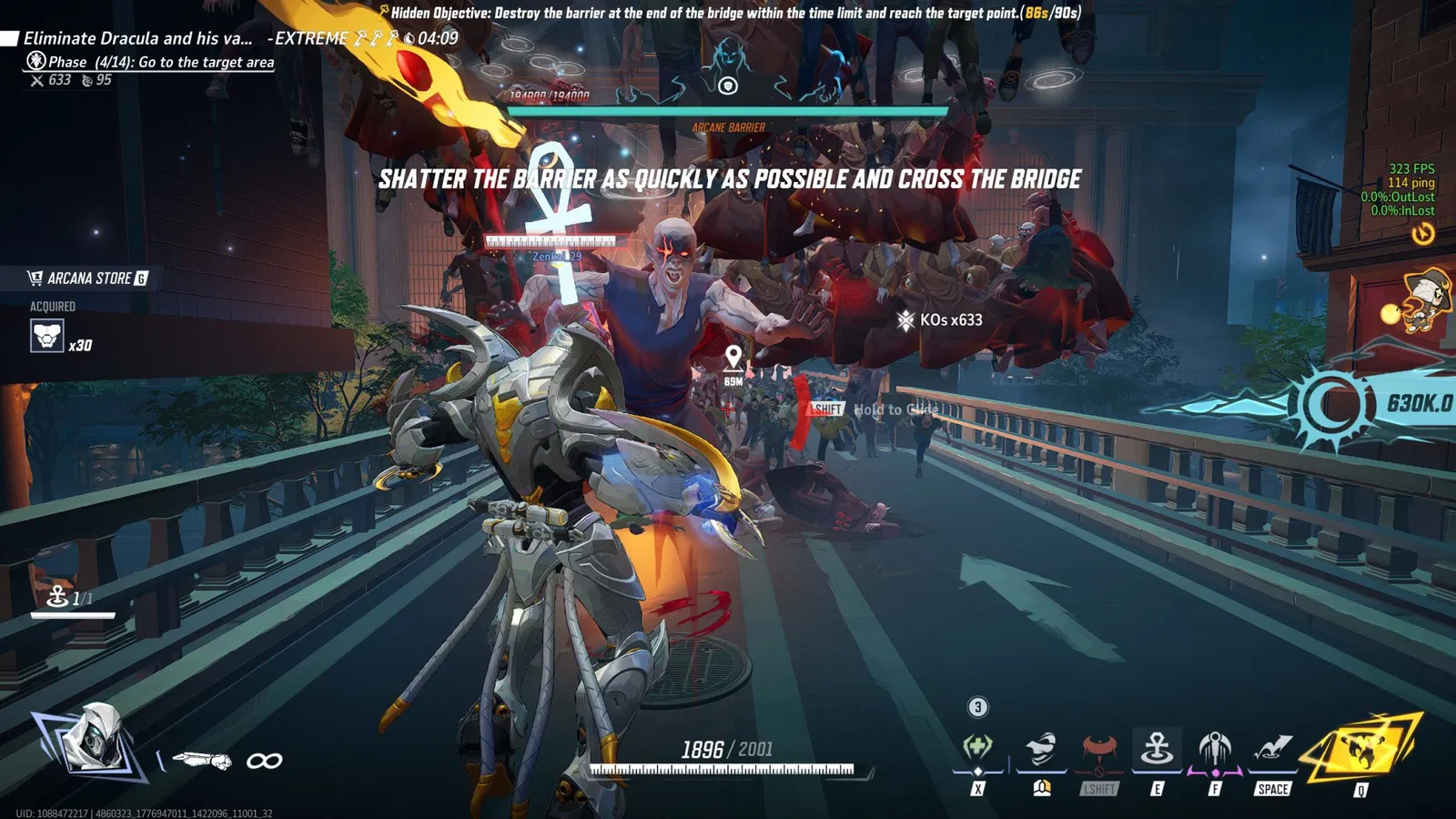
The first Kingpin objective appears during Phase 4 on the bridge. You have 90 seconds to destroy the Arcane Barrier at the end and reach the target area.
- Run directly toward the barrier
- Ignore normal vampires unless they physically block you
- Focus all available damage on the barrier
- Enter the target circle immediately after the barrier breaks
- Make sure your teammates also reach the target if you are playing in a group
The biggest mistake is stopping to clear enemies. The hidden objective is based on completing the barrier route fast enough, not killing everything on the bridge.
Once the objective registers, your first Golden Key appears in the upper-left corner.
Hidden Objective #2: Phase 7 Bloodclot Buds
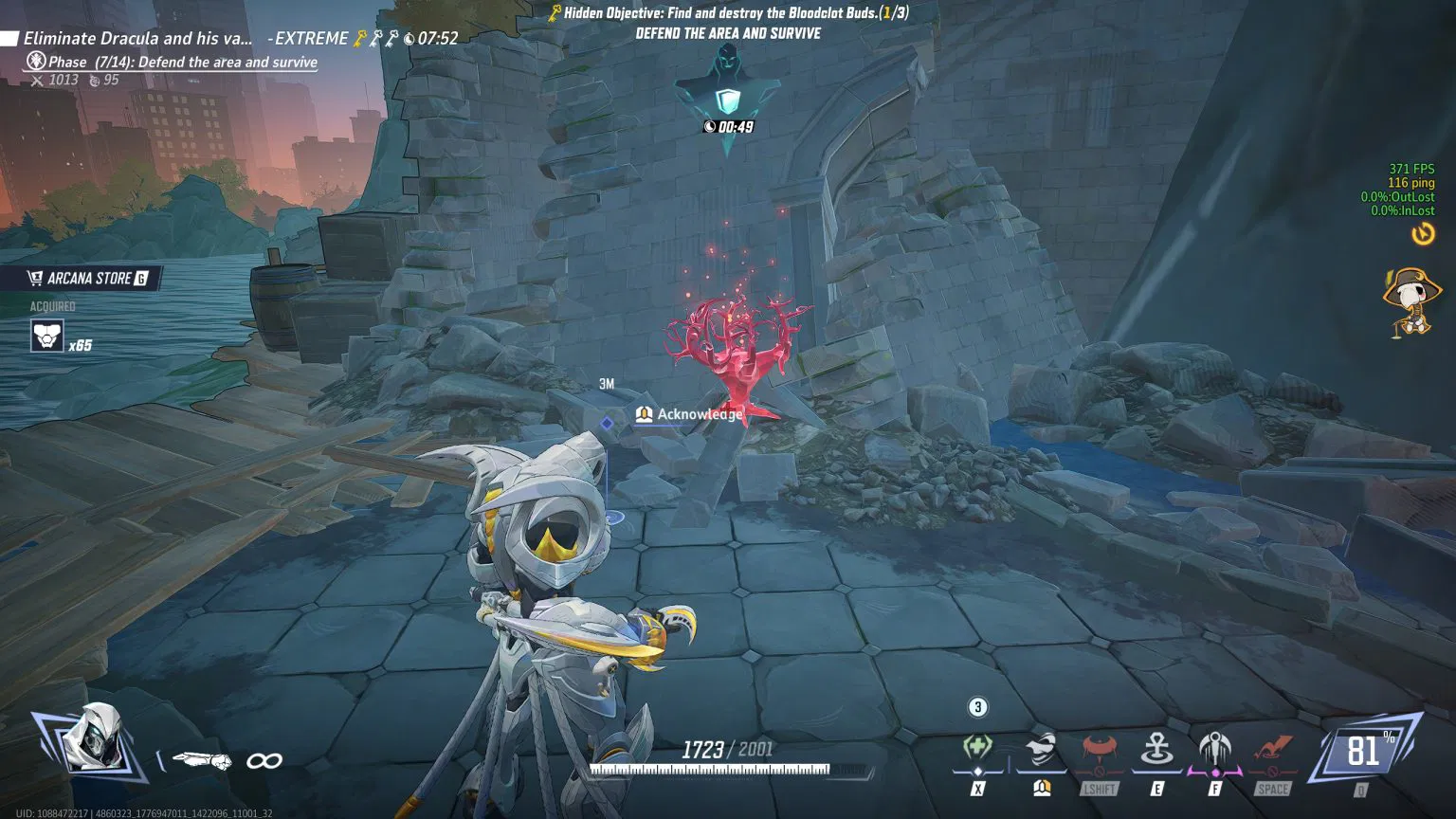
Phase 7 is easier because there is no time limit, but the Bloodclot Buds are easy to miss if nobody knows they exist.
The buds only appear after your team starts the phase by entering the objective area. They look like glowing red flower or bush-like growths around the ruins.
The exact number depends on how many players are in your run:
- Solo: 1 Bloodclot Bud
- 2 players: 2 Bloodclot Buds
- 3 players: 3 Bloodclot Buds
- 4 players: 4 Bloodclot Buds
There is always one Bloodclot Bud per player.
Their locations can change between runs, so scan the outside edges of the area instead of only following the main combat route. In a group, split up to search faster.
Destroy every required bud and the second Golden Key will appear.
Hidden Objective #3: Phase 12 Sealing Magic Circle
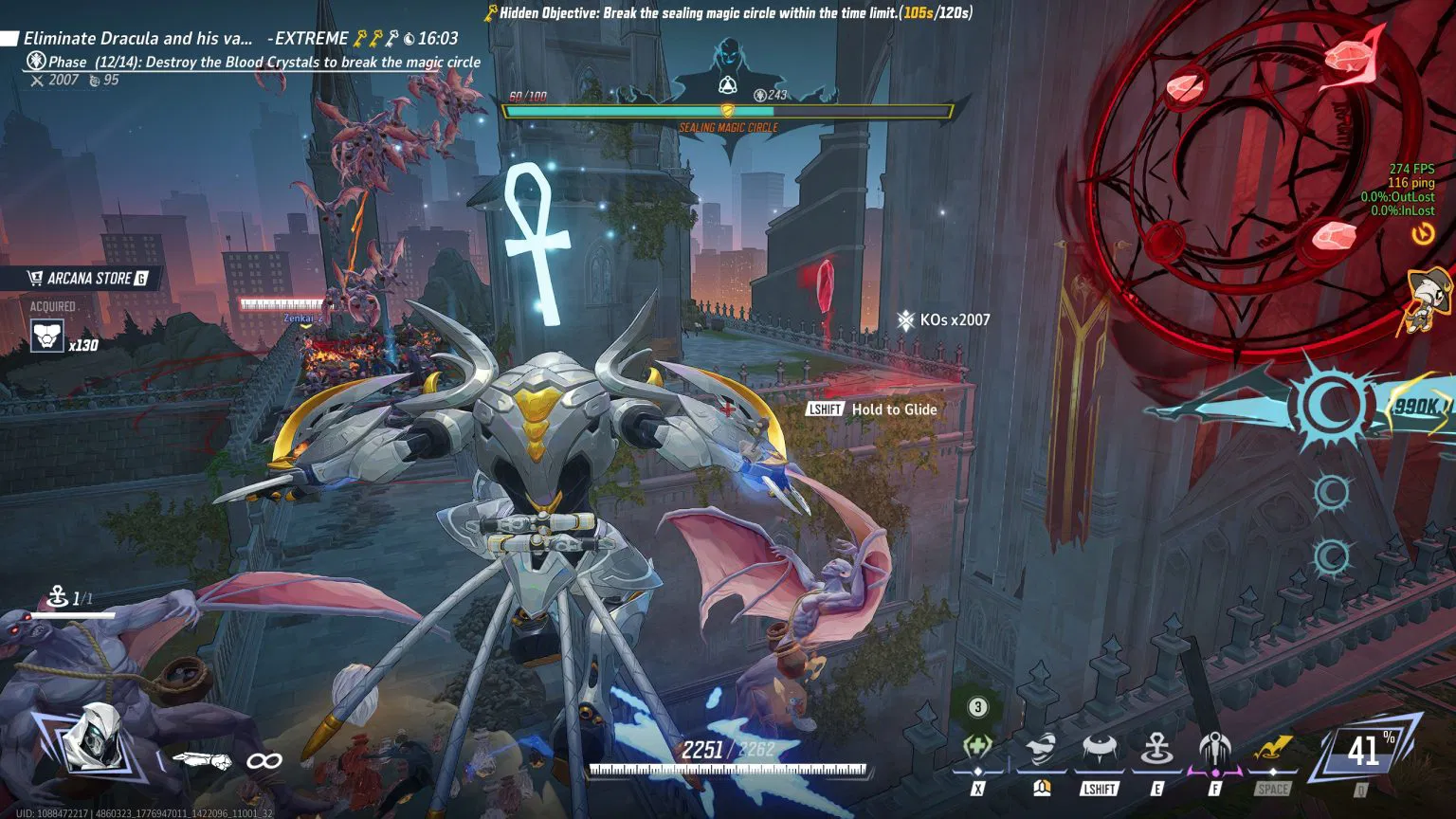
The final hidden objective happens outside Dracula's castle and gives you 120 seconds to break the sealing magic circle.
Blood Crystals keep spawning around the area. Destroying them damages the seal until the magic circle finally breaks.
- Ignore normal enemies whenever possible
- Look for new Blood Crystal spawns constantly
- Rotate between both sides of the area
- Use burst damage on crystals immediately
- Call out crystal locations when playing with teammates
This is usually the hardest Golden Key because enemies keep pressuring you while the timer is running.
Do not get distracted trying to clear every vampire. Your priority is the crystals until the sealing circle breaks.
Once it does, you receive your third Golden Key and the Kingpin route is locked in.
What Happens After You Get All 3 Golden Keys?
After Phase 12, continue the run normally and enter Dracula's castle.You must defeat Dracula in Phase 13. If Dracula is giving you problems, use our Blood Hunt Dracula boss guide for his sword phases, crystals, sunlight mechanic, and final damage window.
Normally, defeating Dracula ends an Extreme run.
With all three Golden Keys, it does not.
Instead:
- The run continues after Dracula
- Your team is transported to Times Square
- Secret Phase 14 begins
- Kingpin appears as the true final boss
If you get the normal victory screen after killing Dracula, check your Golden Keys. One of the three hidden objectives was missed or failed.
How to Beat Kingpin in Blood Hunt
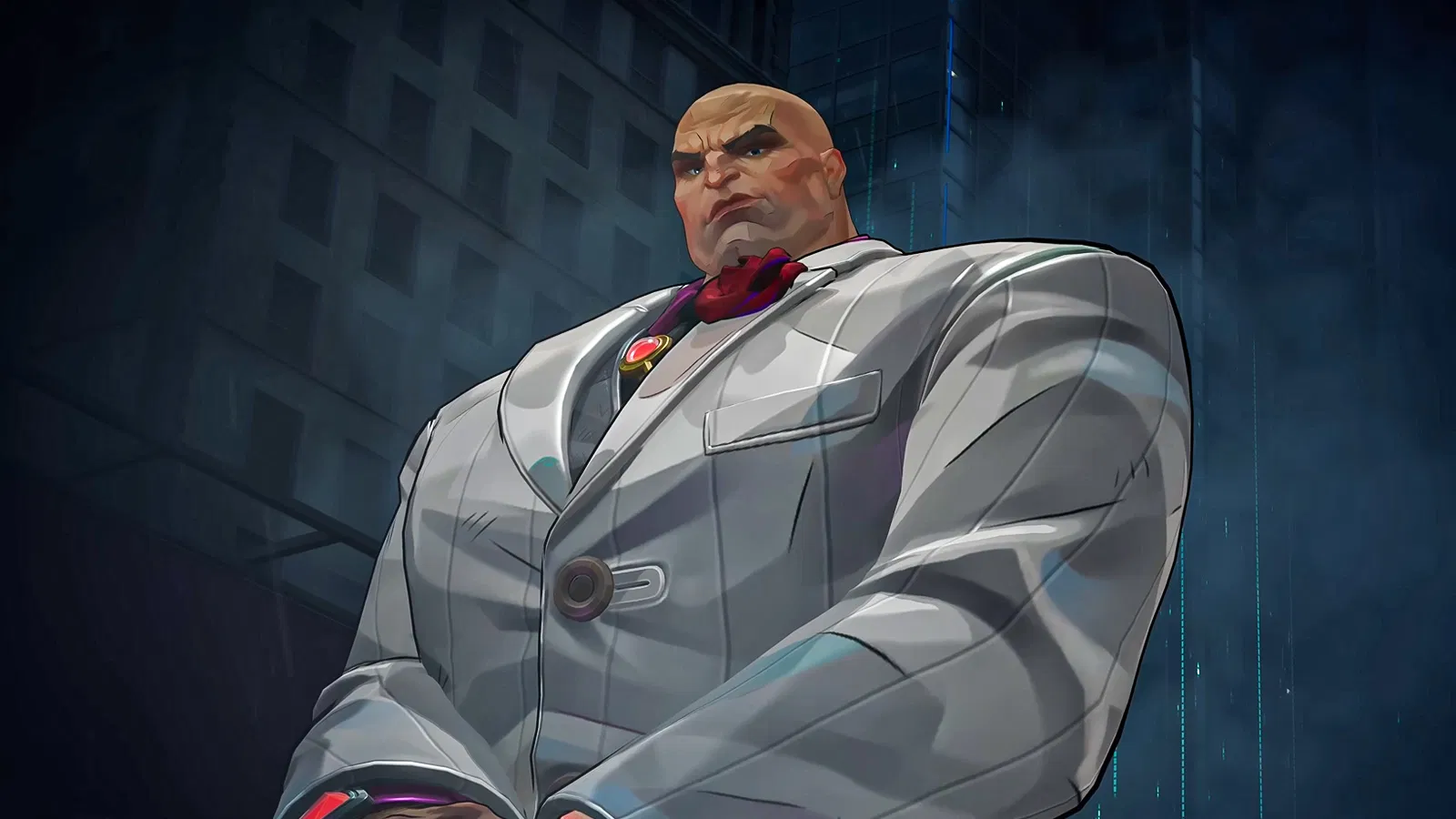
Kingpin is easier to understand than Dracula, but several of his attacks can instantly end a run if you do not react correctly.
Break Out of Kingpin's Cane Trance
Kingpin can lock a player in place with his cane before following it with a powerful beam attack.When this happens:
- Spam WASD on PC
- Rapidly move the left analog stick on console
- Break free before the follow-up attack lands
Your teammates can also keep attacking Kingpin and may stagger him before he finishes the attack.
Kill the Purple Copies During His Team Trance
Kingpin also has a larger control attack that can trap the entire team and create purple NPC copies of the heroes in your group.Do not attack your real teammates. The purple characters are illusions.
- Identify the purple copies
- Kill them as quickly as possible
- Clear every illusion to escape the effect
- Resume damage on Kingpin once you are released
Failing to clear the copies quickly enough can kill the trapped player.
Stop Kingpin's Charged Implosion
This is Kingpin's most dangerous attack.He creates a large spherical barrier around himself and begins charging a massive explosion. Attacks from outside the barrier are blocked.
The safest response is:
- Move inside the barrier
- Use your strongest burst damage
- Deal enough damage to interrupt Kingpin before the charge finishes
If you succeed, Kingpin is temporarily stunned and becomes vulnerable.
If you fail the damage check, the explosion can deal massive damage or instantly KO players. Do not rely on dodge chance or trying to tank it. Treat the Implosion as a burst-DPS check.
Avoid His Charge and Wall Grab
Once Kingpin becomes more aggressive, he can charge across the arena and grab anyone he catches.The grab can pin you against a wall and deal huge damage.
Keep some distance and move sideways instead of backing directly away from him. His straight-line attacks are much easier to avoid when you are already moving.
Move Away From His Aerial Slam
Kingpin can leap into the air before crashing down onto a player.The landing deals heavy damage and creates a large shockwave, so create distance as soon as you see him jump.
Do not group tightly around one player. Spreading out makes it less likely that several teammates get caught by the same attack.
Best Heroes for Beating Kingpin
Kingpin rewards strong single-target damage, but you still need enough mobility to deal with his charge, slam, and Implosion mechanics.Good options include:
- Moon Knight: Excellent boss damage with a strong Ankh build
- The Punisher: Very strong single-target boss damage
- Squirrel Girl: Safe ranged damage and strong overall reliability
- Thor: High survivability and a strong option if your team keeps dying
Your gear and build matter more than the hero alone. Boss Damage, strong offensive rolls, and enough survivability to recover from smaller mistakes make the fight much easier.
For a full comparison of all six playable heroes, check our Blood Hunt Nightmare tier list.
How to Get the Kingpin Dethroned Accessory
There are two Kingpin accessories available through Blood Hunt.| Reward | How to Unlock |
|---|---|
| Kingpin Dethroned Accessory | Defeat the hidden Kingpin boss on Extreme for the first time |
| Kingpin Dethroned Trophy | Collect 100 Kingpin Dethroned Trophy Shards and craft the gold accessory |
Players who own the Kingpin Dethroned Trophy also automatically unlock its exclusive accessory Emote. The emote can be used while the accessory is equipped.
Both Kingpin accessories can be equipped by all six Blood Hunt heroes:
- Blade
- Jeff the Land Shark
- Moon Knight
- Squirrel Girl
- The Punisher
- Thor
How to Get the Golden Kingpin Accessory
The gold version requires 100 Kingpin Dethroned Trophy Shards.Trophy Shards can randomly drop from Nightmare 20 or higher. You also receive guaranteed batches of 10 shards from several first-clear milestones.
- Clear Nightmare 20+: 10 Trophy Shards
- Clear Nightmare 40+: 10 Trophy Shards
- Clear Nightmare 60+: 10 Trophy Shards
- Clear Nightmare 80+: 10 Trophy Shards
- Clear Nightmare 100+: 10 Trophy Shards
- Clear Nightmare 120+: 10 Trophy Shards
These achievements give you 60 guaranteed shards. The remaining shards must come from random Nightmare drops unless you already received additional shards during your progression.
Once you reach 100, open the Blood Hunt Overview screen and use the Craft Accessory option to create the Kingpin Dethroned Trophy.
Extreme Kingpin vs Nightmare Kingpin
There is an important difference between Extreme and Nightmare.The three-Golden-Key hidden route belongs to the Extreme version of Blood Hunt. This is the route you need for the first hidden-boss clear and the standard Kingpin Dethroned Accessory.
Nightmare works differently. Runs use shorter wave structures followed by boss encounters, and Nightmare is mainly where you push higher floors, farm stronger gear, and collect Kingpin Trophy Shards.
You do not need to repeat all three Extreme hidden objectives every time you want to farm the gold accessory.
Blood Hunt Now Goes Up to Nightmare Floor 300
Blood Hunt has received several major progression updates since Kingpin was first added.The current Nightmare cap is now Floor 300.
NetEase also added:
- Gear Enhancement: Improve existing gear for stronger stat bonuses
- Gear Refining: Reroll specific stats to improve your build
- Dew of Insight: A rare enemy drop that gives instant EX to a hero
- Floor 260 reward: Clear Floor 260 with a hero to earn 100 Units, once per hero
With six Blood Hunt heroes, the Floor 260 missions can provide up to 600 Units if you complete the requirement with every hero.
The Blood Hunt Double XP period has also been extended until October 5, 2026 at 09:00 UTC.
The Blood Hunt mode itself is currently scheduled to remain available until October 9, 2026 at 09:00 UTC.
Marvel Rivals Blood Hunt Boosting
Need Help Unlocking Kingpin?
Skip failed Golden Key runs and get help with the hidden Kingpin boss, Extreme clears, Nightmare progression, Floor 260 rewards, and Blood Hunt farming.
Get Blood Hunt Boosting
Best Tips to Unlock Kingpin Consistently
- Check your Golden Keys. Confirm each objective registered instead of assuming it did.
- Do not fight unnecessary enemies in Phase 4. The 90-second barrier timer is more important.
- Count players in Phase 7. You need exactly one Bloodclot Bud for each player in the run.
- Split up during Phase 7. The buds can spawn around different parts of the ruins.
- Focus only on Blood Crystals in Phase 12. Regular enemies are a distraction.
- Save strong cooldowns for Kingpin's Implosion. Being able to interrupt it can save the entire run.
- Bring strong boss damage. Faster Kingpin phases mean fewer chances to get hit by his most dangerous mechanics.
If your team keeps failing the hidden objectives, practicing the Extreme route solo can also help. Blood Hunt scales around player count, so you only need one Bloodclot Bud in Phase 7 and do not have to depend on random teammates understanding the Golden Key objectives.
Kingpin Blood Hunt FAQ
How do you unlock Kingpin in Marvel Rivals Blood Hunt?
Play Blood Hunt on Extreme difficulty and complete the hidden objectives in Phases 4, 7, and 12. Collect all three Golden Keys, defeat Dracula in Phase 13, and you will be transported to Times Square for the secret Kingpin fight in Phase 14.Can you unlock Kingpin on Normal or Hard?
No. The hidden Kingpin route used to earn the Kingpin Dethroned Accessory is an Extreme-difficulty challenge.How many Golden Keys do you need for Kingpin?
You need three Golden Keys. One comes from each hidden objective in Phase 4, Phase 7, and Phase 12.How many Bloodclot Buds spawn in Phase 7?
One Bloodclot Bud spawns for each player. Solo requires one, two players require two, three players require three, and a full four-player team requires four.What happens if you miss one Kingpin objective?
You can still finish the Extreme run and defeat Dracula, but the match will end after Phase 13. Kingpin will not appear.What is Phase 14 in Blood Hunt?
Phase 14 is the hidden Times Square Kingpin encounter. It only appears after all three Golden Keys have been collected before defeating Dracula.How do you stop Kingpin's Charged Implosion?
Enter the spherical barrier around Kingpin and deal enough burst damage to interrupt the attack before the explosion finishes charging. Attacks from outside the barrier are blocked.How do you get the gold Kingpin accessory?
Collect 100 Kingpin Dethroned Trophy Shards. Shards can randomly drop from Nightmare 20+ and are also awarded from first-clear milestones at Nightmare 20, 40, 60, 80, 100, and 120.What is the current maximum Blood Hunt Nightmare floor?
The current cap is Nightmare Floor 300. Clearing Floor 260 with a hero rewards 100 Units once for that hero.When does Marvel Rivals Blood Hunt end?
Blood Hunt is currently scheduled to end on October 9, 2026 at 09:00 UTC. The Double XP event ends slightly earlier on October 5 at 09:00 UTC.Final Thoughts
Kingpin is the secret final boss of the Extreme Blood Hunt route, but unlocking him becomes straightforward once your team knows what to do.Rush the Phase 4 barrier, destroy one Bloodclot Bud per player in Phase 7, break the sealing circle within 120 seconds in Phase 12, and make sure all three Golden Keys are visible before entering Dracula's fight.
After you unlock the standard Kingpin Dethroned Accessory, Nightmare becomes the next grind. Push the current Floor 300 progression, collect 100 Trophy Shards for the gold accessory, and take advantage of the extended event before Blood Hunt ends in October.
If you would rather skip the repeated clears, use our Marvel Rivals Blood Hunt boosting service for Kingpin, Nightmare floors, hero progression, and event rewards.

One Above All
Get your Marvel Rivals seasonal rewards now.