1

CUSTOMIZE YOUR ORDER AND ADD TO CART

Safe Our services are completed entirely through normal gameplay. We do not use mods, mod menus, bot lobbies, exploits, cheats, or any other unauthorized methods.
PERKS
SELECT TASKS
๐Ÿ›’ Cart 0
    Your cart is empty.
    2

    Select Platform

    checkout

    -
    APPROXIMATE COMPLETION
    -
    ACTIVE BOOSTERS
    37

    EXPRESS ORDER (+30%)

    STREAMING (+5$ or 15%)

    PAY HALF NOW, HALF AT 50%

    APPEAR OFFLINE (FREE)

    specific booster

    store credit (0$)

    store credit

    quantity discount

    coupon code

    total
    ... $
    ... $
    USD $
    USD $
    EUR €
    GBP ₤
    CAD $
    AUD $

    Login and checkout to get in cashback* !

    HIGHEST COMPLETION RATES

    100% of orders get completed


    UNBEATABLE STARTING TIME

    Average starting time 11 minutes


    LIGHTNING SPEED BOOSTING

    9 hours on average per day

    Black Ops 1 Pro Perks Boosting FAQ

    Black Ops 1 Pro Perks Boosting is a service where a professional player completes the multiplayer challenges required to unlock Pro versions of your selected perks. You can order one Pro Perk, several selected perks, a full perk slot, or all 15 BO1 Pro Perks.
    After checkout, we assign a professional Black Ops player to your order. The booster checks your current perk progress, completes the remaining Pro Perk challenges, and updates your progress through your personal order tracking page.
    Pro Perks are upgraded versions of standard multiplayer perks in Call of Duty: Black Ops. Each Pro upgrade keeps the base perk effect and adds an extra benefit, such as stronger protection, faster handling, improved movement, or better resistance to enemy equipment.
    To unlock a BO1 Pro Perk, you need to buy the standard perk, complete its required multiplayer challenges, and then purchase the Pro upgrade. The Pro ability only becomes active after the upgrade has been bought.
    You can buy a single Pro Perk unlock, selected multiple Pro Perks, a full Slot 1, Slot 2, or Slot 3 completion, or a full all 15 Pro Perks package. This lets you order only the amount of perk progress your account needs.
    Each standard perk costs 2,000 CoD Points, and each Pro upgrade costs another 3,000 CoD Points. This means one fully unlocked Pro Perk requires up to 5,000 CoD Points if the base perk and upgrade have not been purchased yet.
    Yes. Your account should have enough CoD Points to buy the required base perks and Pro upgrades. If some perks are already purchased on your account, you only need enough CoD Points for the remaining unlocks.
    Yes. You can choose the exact Pro Perks you want completed instead of ordering a full package. This is useful if your account already has some Pro Perks finished or if you only need specific perks for your multiplayer loadouts.
    Yes. You can order a full all 15 Pro Perks boost. The booster will complete the required multiplayer challenges for every Pro Perk included in the package and make sure the order is finished according to your selected option.
    Yes. If you already made progress on a Pro Perk challenge, the booster can continue from your current progress and complete the remaining objectives. You do not need to restart the perk from zero.
    Pro Perk challenges can require kills, medals, objective plays, equipment destruction, sprint distance, explosive survival, headshots, or specific kill conditions. The exact objectives depend on the perk being upgraded.
    You need access to Create-a-Class and the perk system, which unlocks early in multiplayer progression. If the selected perk is not available yet on your account, we can help with the required account progression first.
    Yes. Prestiging resets normal multiplayer progression, including purchased perks and Pro Perk unlocks. If you plan to Prestige soon, it is usually better to complete Pro Perks after reaching the Prestige level where you want to keep playing.
    Completion time depends on how many Pro Perks you order, your current challenge progress, matchmaking speed, and the exact challenges required. A single partially completed perk is usually faster than a full all 15 Pro Perks order.
    Yes. Every BO1 Pro Perks Boosting order includes a personal tracking page where you can follow progress, check order status, and communicate with your booster or support team.
    Yes. Your order is handled by experienced players who complete the service through normal multiplayer gameplay. We do not use cheats, bots, exploits, or third-party tools.
    You need a Black Ops 1 multiplayer account with access to online play, the required perk unlocks, and enough CoD Points to buy the base perks and Pro upgrades. For piloted orders, correct login details may be required.
    We accept PayPal, all major credit cards, Skrill, Klarna, iDeal, Alipay, Neteller, Paysafecard, and Bitcoin.

    Don't just take our word for it, see what our customers say about us

    How does BO1 Pro Perks Boost work?

    BO1 Pro Perks Boost helps you unlock Pro versions of multiplayer perks in Call of Duty: Black Ops. Each Pro Perk requires specific in-game challenges before the upgrade can be purchased and used on your account.

    Instead of spending hours grinding awkward challenge requirements, a professional Black Ops 1 booster works on the selected Pro Perk unlocks through normal Multiplayer gameplay. You can order a single Pro Perk, selected multiple perks, a full perk slot, or all 15 Pro Perks depending on what your account still needs.

    Unlock the Pro Perks your loadout actually needs.

    Black Ops 1 has 15 Pro Perks across three perk slots, but not every player needs every single one right away. Some customers only need one important upgrade for their main loadout, while others want a full slot or complete account progression.

    Our BO1 Pro Perks Boosting service is flexible. You can request individual perks, several selected Pro Perks, Slot 1 completion, Slot 2 completion, Slot 3 completion, or a full all 15 Pro Perks package. The booster follows your selected order and completes the required challenge progress as efficiently as possible.

    BO1 Pro Perks Boost and Pro Perk unlocks

    Pro Perks are different from normal perk purchases.

    A standard BO1 perk can be purchased with CoD Points, but the Pro version requires extra challenge completion before the upgrade becomes available. Each Pro Perk keeps the base ability and adds another benefit, such as improved movement, better handling, stronger protection, or additional resistance against enemy equipment.

    The Pro upgrade still needs to be bought after the challenge requirements are finished. If your account does not have enough CoD Points for the base perk or Pro upgrade, you may need to earn or prepare the required amount before the final unlock can be activated.

    Custom BO1 Pro Perks packages based on your account.

    Not every BO1 Pro Perks order starts from zero. If you already completed part of a challenge, already purchased some perks, or only need a few upgrades finished, we can continue from your current progress instead of treating the order like a fresh account.

    This makes the service useful for both new and returning Black Ops 1 players. Live Chat can help review your situation if you are not sure which package fits your account, whether you need one Pro Perk, a complete slot, or all 15 Pro Perks unlocked.
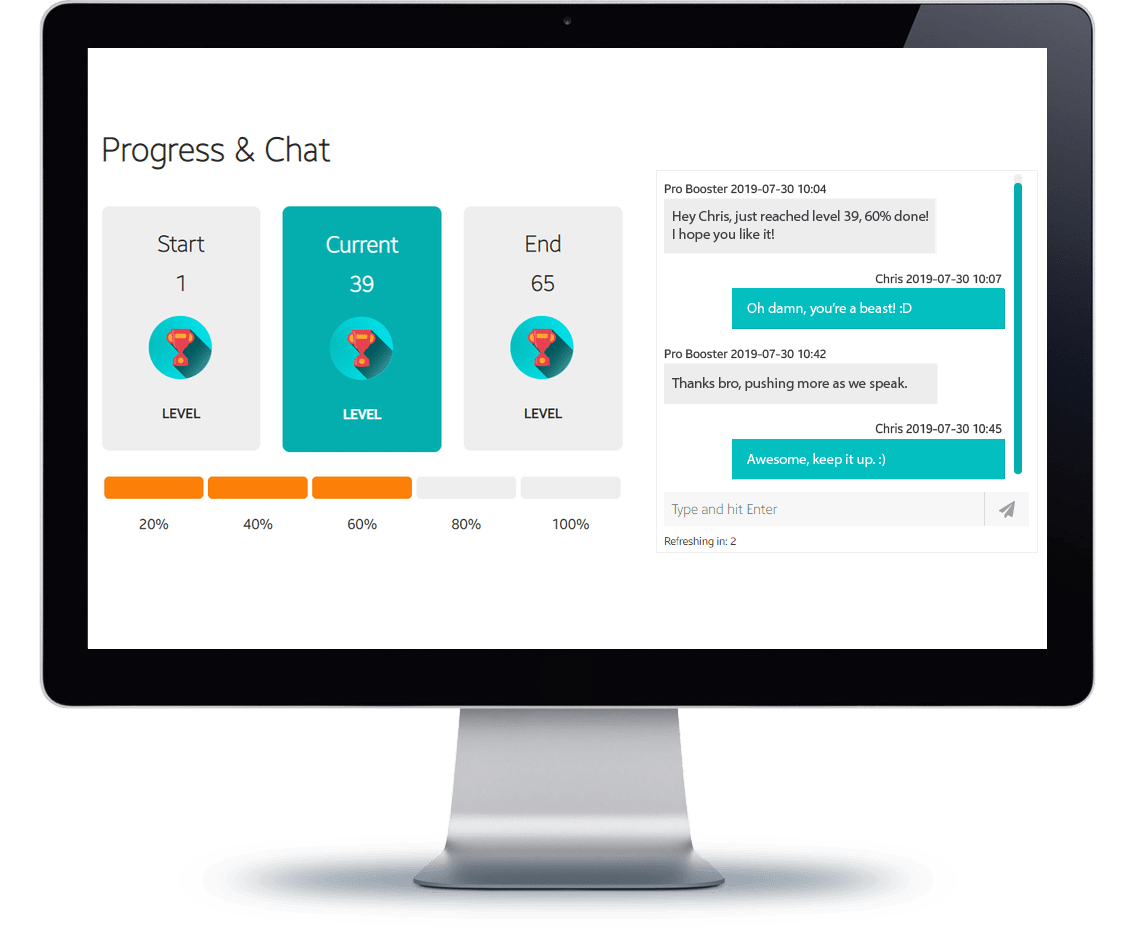
    Custom BO1 Pro Perks Boosting package

    Complete tedious Pro Perk challenges without the grind.

    BO1 Pro Perk challenges can require specific kills, medals, objective plays, equipment destruction, sprint distance, explosive survival, headshots, or other situational progress. Some are simple, but others are slow because they depend on match flow, enemy behavior, or awkward conditions.

    A professional booster completes the selected requirements through regular Multiplayer matches while focusing on the most efficient route for your order. This saves time, removes repetitive challenge farming, and lets you use the upgraded perks without wasting sessions on objectives you do not enjoy.

    Your accountโ€™s privacy and security come first.

    HIGH-END SSL
    SECURITY

    All data you submit through our platform is protected with SSL encryption to help keep your account information, order details, and communication secure.

    VPN PROTECTED
    BOOSTING

    For piloted BO1 Pro Perks Boost orders, boosters can use region-matched VPN protection to help keep the login process consistent and discreet.

    SILENT
    BOOSTERS

    Our boosters work discreetly and never share your personal details, account information, order progress, or Pro Perk unlock requests with anyone.

    What happens after I buy BO1 Pro Perks Boost?

    Once you complete your purchase, your order is listed for our professional Black Ops 1 boosters. You will also receive a confirmation email with a link to your personal order tracking page.

    On the tracking page, you can update login details, leave notes about the Pro Perks you want completed, share your current progress, and chat directly with your assigned booster. The booster reviews your account, checks the remaining requirements, completes the selected challenges, and updates you as the order moves forward.

    Returning customers get more benefits.

    Every completed order helps increase your Boosting Factory account level, unlocking larger discount coupons for future services, including BO1 Pro Perks Boost, BO1 Prestige Boosting, BO2 Calling Cards Boost, BO2 Camo Boosting, BO2 Weapon Leveling, BO2 Nuke Boosting, Unlock All, KD Boosting, and other Call of Duty boosts.

    Referring friends earns both you and your friend store credit when they purchase. We appreciate loyal customers and reward them with better savings, useful perks, and a smoother experience on every new order.
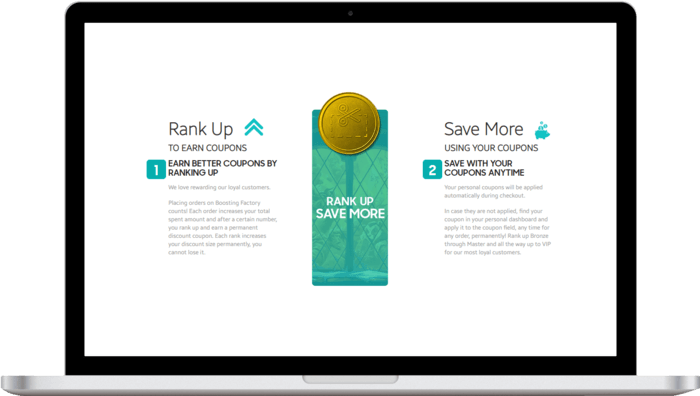
    BO1 Pro Perks Boost rewards and discounts

    Need help?

    get in touch

    approximate
    completion time

    2 - 3 days

    ACTIVE BOOSTERS

    37

    store credit (0$)

    Total:...

    USD $
    USD $
    EUR €
    GBP ₤
    CAD $
    AUD $
    You've blocked notifications. Please click on the lock pad icon in the address bar, then set "Notifications" permission to "Ask(default)". Refresh the page.
    Notifications are already enabled! If you don't see them check your browser and OS settings again.