BO1 & BO2 Wins Boost
Raise your W/L ratio with the help of pros
BO1 & BO2 Wins Boosting FAQ
Don't just take our word for it, see what our customers say about us
Review
 GG tysm for the help! Appreciate it ^^
Review
A very kind person and just one of the nicest ppl I ever met :)
Review
He is fast, always online, playes like a god, THis booster is insane!
Review
Nice person fast answers and fast delivery
Review
Did a wonderful job, quick and efficient!
Review
Very nice person very fast delivery
Review
Very helpful, and quick and able to get me to the desired rank as quickly as possible.
Review
Crazy and sharp JG play led the team to win. Teammate not really good, but still secured a win.
Review
awesome booster and very good service!
Review
Crazy and sharp Zhao Xin. Very trustable
Review
Amazing, he is great and dealing daaaamage! 5 wins in 5 games in diamond! :D
Review
Really good placement games. Thanks, I’d gladly play again!
How does BO1 & BO2 Wins Boosting work?
BO1 & BO2 Wins Boosting helps you complete guaranteed NET wins in Call of Duty: Black Ops 1 or Call of Duty: Black Ops 2. You choose the game, platform, and number of wins you want, and a professional Call of Duty booster plays until the ordered win amount is completed.
This service also works as a BO1 Win Boost, BO2 Win Boost, BO1 W/L Ratio Boost, or BO2 W/L Ratio Boost because every completed NET win helps improve or protect your account’s win/loss ratio. Whether you want more match wins, cleaner multiplayer stats, or a better W/L record, the booster focuses on winning matches as efficiently as possible.
Every order is completed as NET wins.
BO1 & BO2 Wins Boosting is based on NET wins, meaning every loss during the order is compensated with an additional free win. If you order 5 wins and the booster loses 1 game on the way, the booster must complete 6 total wins to offset that loss.
The final calculation is simple: 6 wins - 1 loss = 5 NET wins ordered. This protects your order result and ensures that your account always receives the win progression you purchased. It also makes the service much better for Black Ops 1 W/L Ratio Boosting and Black Ops 2 W/L Ratio Boosting than a regular fixed-games service.
Choose BO1 Win Boost or BO2 Win Boost.
You can order wins for either Call of Duty: Black Ops 1 or Call of Duty: Black Ops 2. Select the correct game in the product options so we can assign a booster who supports your chosen title, platform, and multiplayer environment.
If you want a Black Ops 1 Win Boost, we focus on completing NET wins in BO1 multiplayer. If you want a Black Ops 2 Win Boost, we complete the same guaranteed NET win service in BO2. Since both games are older Call of Duty titles, completion speed can depend on platform activity, playlist population, lobby quality, matchmaking stability, and booster availability.
Improve or protect your BO1 & BO2 W/L ratio.
Your W/L ratio, or win/loss ratio, compares how many matches your account has won against how many matches it has lost. A BO1 W/L Ratio Boost or BO2 W/L Ratio Boost helps improve that record by adding guaranteed NET wins to your multiplayer history.
If your account already has many matches played, a small win package may only improve the lifetime W/L ratio slightly. However, during the boost itself, the booster maintains positive win progress by compensating every loss with an extra free win, so the final order result always ends with the NET wins you purchased.
Fast playlist selection for reliable win farming.
Boosters usually play the fastest and most reliable available multiplayer playlists for win completion. The main goal is to finish your selected number of NET wins efficiently while avoiding slow queues, unstable lobbies, or poor match conditions when possible.
If you have a preferred playlist, you can leave it in your order notes. The booster will follow your request when possible, but some playlists may have lower activity or longer queue times, especially on older Black Ops titles and less active platforms. For the best BO1 match win boost or BO2 match win boost, we recommend letting the booster choose the most reliable available playlist.
Account sharing is the fastest completion method.
BO1 & BO2 Wins Boosting is usually completed through account sharing. The booster logs into your account, plays multiplayer matches, tracks wins and losses, and continues until the selected amount of NET wins is finished.
Please avoid playing on the account while the boost is active unless you coordinate with your booster first. Playing at the same time can interrupt progress, create login conflicts, or make it harder to track the exact win and loss count during the order, especially when the service is being used as a BO1 W/L boost or BO2 W/L boost.
Wins can also help with XP, levels, and unlock progress.
While BO1 & BO2 Wins Boosting is focused on match wins and win/loss ratio progress, playing completed matches can naturally help with XP, levels, weapon progress, challenges, and other gameplay unlocks tied to normal multiplayer activity.
If you need a specific objective such as KD improvement, prestige, weapon levels, camo progress, or a challenge unlock, it is better to order the dedicated service for that goal. Wins Boosting is best when your main priority is guaranteed match win progress, BO1 win rate boosting, BO2 win rate boosting, or improving your W/L ratio through NET wins.
What happens after I buy BO1 & BO2 Wins Boosting?
Once you complete your purchase, your order is immediately listed for our professional Call of Duty boosters. You will also receive a confirmation email with a link to your personal order tracking page.
On the tracking page, you can update login details, choose your game and platform, leave playlist notes, share current progress, and chat directly with your assigned booster. The booster reviews your order, starts playing matches, tracks wins and losses, compensates any losses with extra wins, and keeps going until your selected NET win amount is complete.
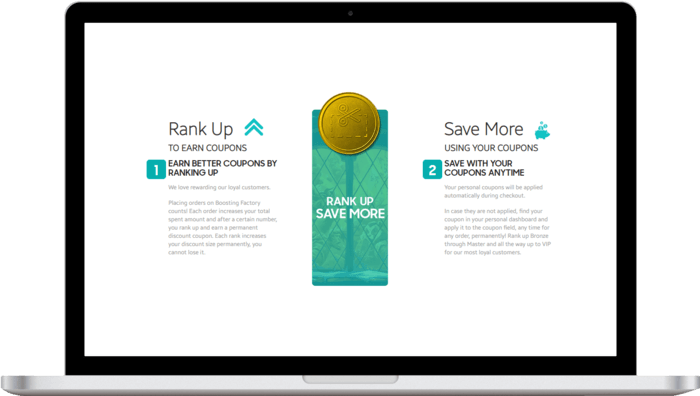
Returning customers get more benefits.
Every completed order helps increase your Boosting Factory account level, unlocking larger discount coupons for future services, including BO1 & BO2 Wins Boosting, BO1 W/L Ratio Boost, BO2 W/L Ratio Boost, KD Boosting, Prestige Boosting, Weapon Leveling, Camo Boosting, challenge services, and other Call of Duty boosts.
Referring friends earns both you and your friend store credit when they purchase. We appreciate loyal customers and reward them with better savings, useful perks, and a smoother experience on every new order.
Total:...
 Secure & Safe Checkout