Apex Legends Kills Farm
Increase your kills and KD with help of the best Apex Predator players
Apex Legends Kills Boost FAQ
Don't just take our word for it, see what our customers say about us
Review
 Share is actually the goat. Even though I diffed him every game, he actually started to pay me for boosting him (it’s a joke).. share was nice, and accommodating to my schedule and was ready for me when I could play. Responded very quick. I did lose some respect for him because he mains mercy (jk he is the scariest tracer I’ve ever seen)
Review
professional booster. easy 3 wins playing with him on cs2 premier
Review
great booster, friendly and good communicator
Review
10/10 100% recommend him best there is
Review
Never not impressed with this guy! Super fast! iLethal is your man!
Review
Best OW2 player on this planet! Insane This guy!
Review
This man got one of my accounts that was stuck in silver elo, from silver 4 to gold 4 in less than 18 hours. Not only was he communicating with me but he also sent me screenshots of some games & he went out of his way to secure his promise of ‘1 day’
Review
V1tal is the goat! He took care of my account quickly and was very nice and professional. Highly recommend
Review
Once again Fervant is amazing!
Review
????????????????????????
Review
Very fast and professional experience. Grinded all day to complete. Recommended!
Review
like always perfrct service <3
How does Apex Legends kills boost work?
Many players struggle with low KD ratios due to unlucky matches or not achieving their desired kill count. This often leads to frustration and dissatisfaction with their stats. That’s why we created our Apex Legends Kill Boost service. Our professional Apex players help you reach the kill count and KD ratio of your dreams.
Boosting Factory only hires Apex Predators dedicated to helping players improve. We have boosters on PC, XBOX, and PS4 worldwide, ensuring support no matter your platform or region. All our boosters are verified, keeping your account safe. Start increasing your kill count in Apex Legends today.


Security of your account is our highest priority
STATE OF
THE ART SSL
Our Apex Legends boosting platform uses cutting-edge SSL encryption to protect all data between you and our servers.
VPN PROTECTED
BOOSTING
Boosters log in using modern VPNs to mimic your IP, making it appear as though you are playing yourself.
IDENTITY
PROTECTION
Boosters never interact with your friends and always use the appear offline feature to maintain full anonymity.
Create a custom order tailored to you
We understand not every player has time to grind kills to improve their KD. Apex Legends requires hours of gameplay, and with uncooperative teammates, progress can be slow and frustrating.
Our next-generation platform allows full customization of your boost. Schedule your sessions, pause and resume your order, and even choose which legends our boosters play. We gladly accommodate special requests whenever possible.


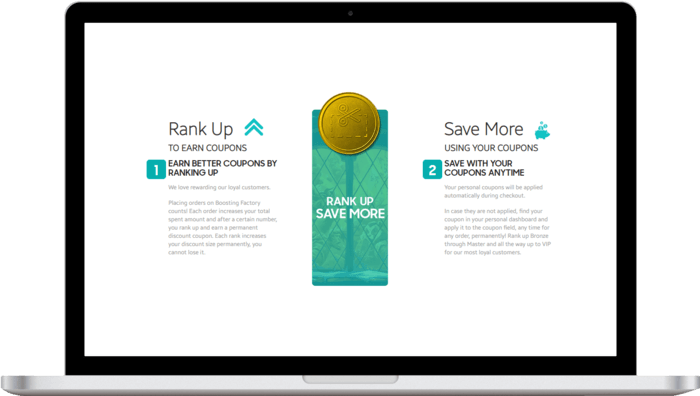
Loyalty program designed for you
One of our core beliefs is that customer satisfaction is a top priority. Returning customers mean that we’re doing it right and we want to keep doing it. This is why we have a loyalty program that will count your every purchase and reward you for continuous purchases.
Every purchase will count to your total spent amount and allow you to progress through our internal rankings - each rank up will reward you with a bigger permanent discount coupon that you can use to discount any of your orders. On top of that, by telling your friends about us, both of you can earn 5$ as soon as your friend makes a first purchase*.
Total:...
 Secure & Safe Checkout