CS2 has two ranked systems, and it is easy to mix them up. Competitive uses the classic Silver I to Global Elite ladder, but your rank is separate on every map. Premier instead gives you one numerical CS Rating across the Active Duty map pool.
This guide explains every CS2 rank, how Competitive map ranks work, what Premier rating colors mean, how placements work, and how the two systems compare.
How Do Ranks Work in CS2?
CS2 has two main Valve ranked systems: Competitive Skill Groups and Premier CS Rating. They use different matchmaking systems and your progress in one does not directly change your rank in the other.Competitive uses the traditional Counter-Strike ranks from Silver I through Global Elite. However, unlike CS:GO, you now have a separate Competitive rank for every map.
Premier uses one numerical CS Rating that follows you across the entire Premier map pool. It is designed as a single measurement of your overall performance in Valve matchmaking.
| Feature | Competitive | Premier |
|---|---|---|
| Ranking System | Skill Group | CS Rating |
| Rank Format | Silver I to Global Elite | Numerical rating |
| Separate Rank Per Map? | Yes | No |
| Map Selection | Choose maps before queueing | Map pick and ban |
| Leaderboard | No main rating leaderboard | Yes |
| Prime Needed for Rank? | Yes | Yes |
| Profile Level 10 Needed? | No | Yes |
All CS2 Competitive Ranks in Order
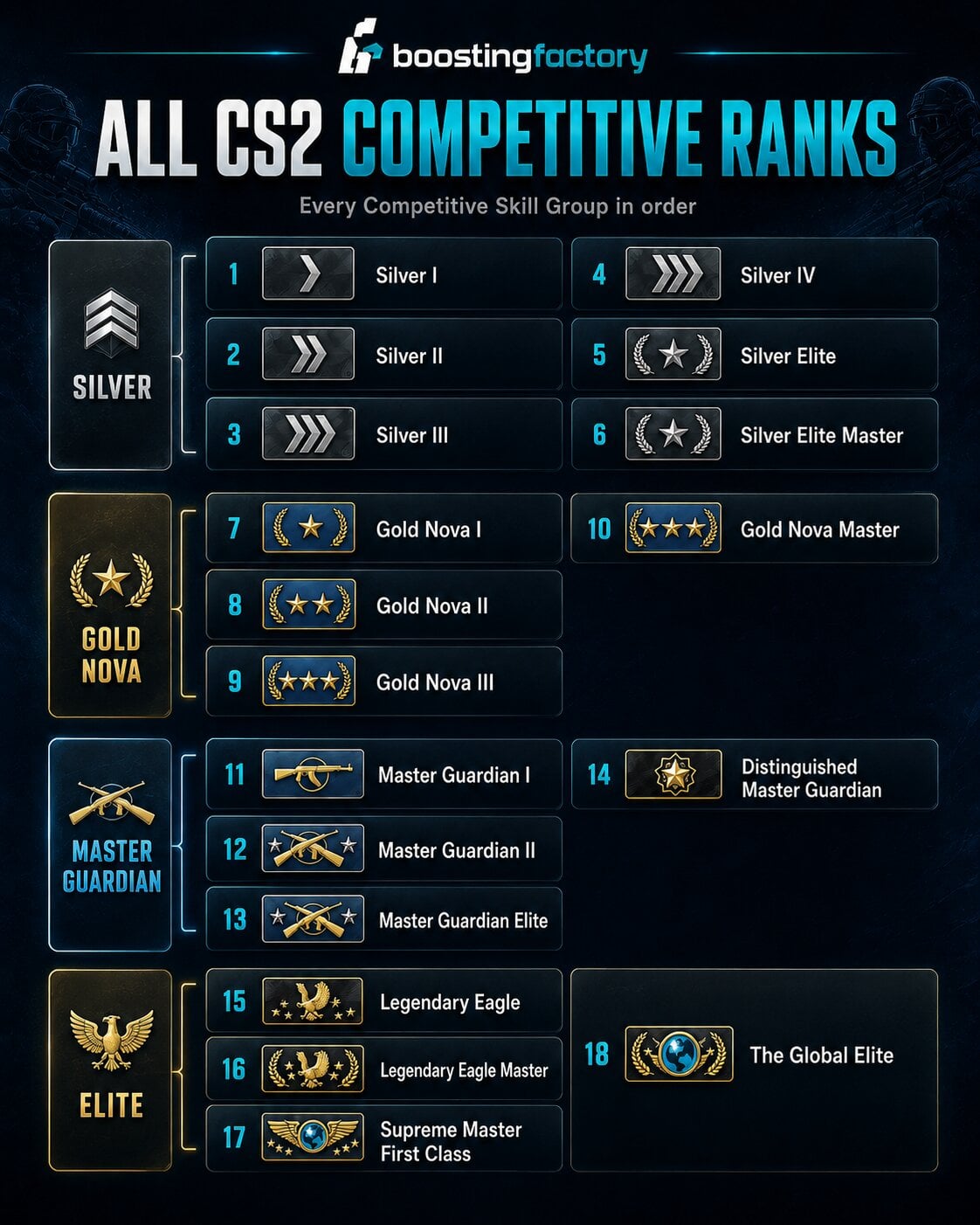
There are 18 Competitive Skill Groups in CS2. Silver I is the lowest rank, while Global Elite is the highest.The rank names will be familiar to CS:GO players, but CS2 changed how they are applied. Instead of having one Skill Group for your entire account, Competitive assigns them separately to each map.
| # | CS2 Competitive Rank |
|---|---|
| 1 | Silver I |
| 2 | Silver II |
| 3 | Silver III |
| 4 | Silver IV |
| 5 | Silver Elite |
| 6 | Silver Elite Master |
| 7 | Gold Nova I |
| 8 | Gold Nova II |
| 9 | Gold Nova III |
| 10 | Gold Nova Master |
| 11 | Master Guardian I |
| 12 | Master Guardian II |
| 13 | Master Guardian Elite |
| 14 | Distinguished Master Guardian |
| 15 | Legendary Eagle |
| 16 | Legendary Eagle Master |
| 17 | Supreme Master First Class |
| 18 | The Global Elite |
Silver Ranks
The first six ranks make up the Silver tier:- Silver I
- Silver II
- Silver III
- Silver IV
- Silver Elite
- Silver Elite Master
Silver contains a large part of the Competitive population. Players here are usually still improving basic aim, movement, positioning, utility usage, and understanding of each map.
Gold Nova Ranks
The next four ranks are:- Gold Nova I
- Gold Nova II
- Gold Nova III
- Gold Nova Master
Gold Nova players usually have a better understanding of CS2 fundamentals. Consistency becomes more important here, especially when it comes to trading teammates, controlling recoil, using grenades, and understanding common rotations.
Master Guardian Ranks
The Master Guardian section contains:- Master Guardian I
- Master Guardian II
- Master Guardian Elite
- Distinguished Master Guardian
At this level, mechanical skill alone becomes less reliable. Better communication, utility, positioning, economy management, and map knowledge start making a much larger difference.
Highest CS2 Competitive Ranks
The four highest Competitive Skill Groups are:- Legendary Eagle
- Legendary Eagle Master
- Supreme Master First Class
- The Global Elite
Global Elite is the highest possible Competitive Skill Group. It is also extremely rare. In Leetify-based July 2026 data, only around 0.3% of tracked Competitive map ranks were Global Elite.
CS2 Competitive Ranks Are Different for Every Map
This is the biggest difference between CS2 Competitive and the old CS:GO matchmaking system.
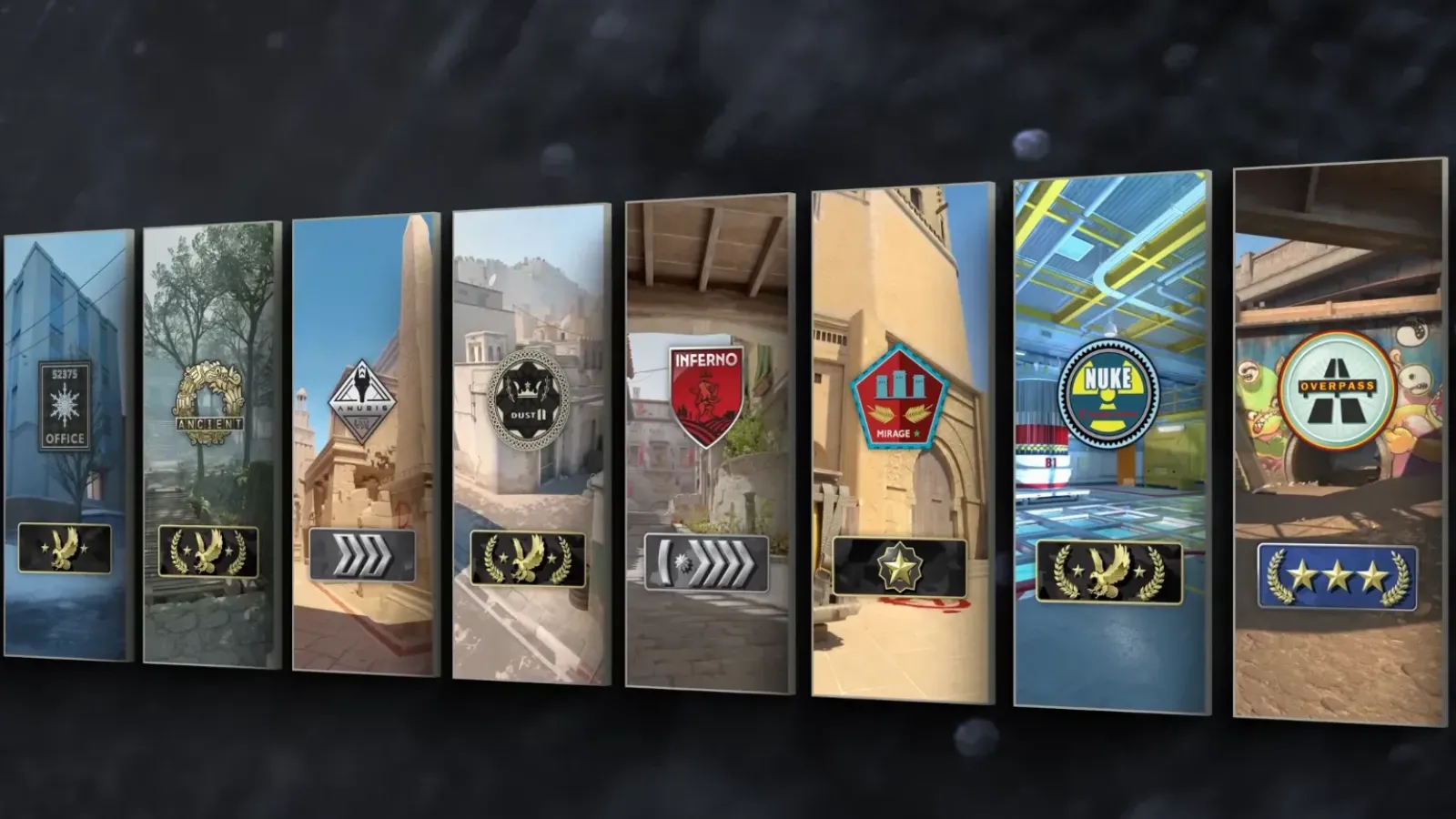
Your Competitive rank is tied to the map, not your entire account.
For example, the same player could have:
- Global Elite on Mirage
- Master Guardian Elite on Dust II
- Gold Nova Master on Inferno
- No rank yet on Nuke
Your Mirage matches do not directly rank up your Nuke Skill Group. Each map has its own matchmaking calibration, allowing the system to judge how well you perform on maps you actually know.
This is useful for players who specialize in only a few maps. Someone with hundreds of Mirage matches does not automatically have to play at the same rank when learning a completely different map.
If you are deciding which maps to focus on, check our best CS2 maps guide for a closer look at the maps worth learning.
All CS2 Competitive Maps
There are currently 15 maps available in CS2 Competitive matchmaking. Since Competitive ranks are map-specific, you can earn a separate Skill Group on each of them.Seven of these maps are also part of the current Premier map pool. The remaining maps can still be played in Competitive, but they do not appear in Premier.
| Map | Competitive | Premier |
|---|---|---|
| Ancient | Yes | Yes |
| Anubis | Yes | Yes |
| Cache | Yes | Yes |
| Dust II | Yes | Yes |
| Inferno | Yes | Yes |
| Mirage | Yes | Yes |
| Nuke | Yes | Yes |
| Overpass | Yes | No |
| Train | Yes | No |
| Vertigo | Yes | No |
| Boulder | Yes | No |
| Fachwerk | Yes | No |
| Office | Yes | No |
| Italy | Yes | No |
| Shelter | Yes | No |
If you are deciding which maps to learn first, check our best CS2 maps guide for a closer look at the different options.
How to Get a Competitive Rank in CS2
You need Prime Status before CS2 will issue you a Competitive Skill Group.Once you have Prime:
- Open Competitive matchmaking.
- Select the map or maps you want to play.
- Play and win Competitive matches.
- Complete the required number of wins shown on that map.
- Your Skill Group for that specific map will then appear.
There is an important detail here. Valve's current support information does not state that every Competitive map always requires one universal number of placement wins. Instead, the game shows the number of wins required for the specific map.
What Happens If Your Competitive Rank Disappears?
A Competitive Skill Group can stop showing after a long period of inactivity.If this happens, you normally need to win one Competitive match to have that map's Skill Group reassessed and displayed again.
Your rank or Competitive wins can also be adjusted if a player from one of your recent parties receives a permanent cheating ban. Valve automatically handles these adjustments.
Want to Skip the Competitive Grind?
Choose the map you want to rank up on and let a professional CS2 player help you reach your target Skill Group.
View CS2 Competitive Rank Boosting
How Does CS2 Premier Work?
Premier is CS2's numerical ranked mode. Instead of receiving Silver, Gold Nova, or Global Elite, you receive a single CS Rating.Unlike Competitive, your Premier rating is not tied to individual maps. The same rating follows you regardless of which map is selected.
Premier also uses a map veto system. Players vote to remove maps from the Active Duty pool until the map for the match is selected, making the process closer to organized competitive Counter-Strike.
Premier also includes global, regional, and friends leaderboards, making your CS Rating easier to compare with other players.
Players who want to increase their Premier rating can use our CS2 Premier Boosting service.
All CS2 Premier Rating Tiers and Colors
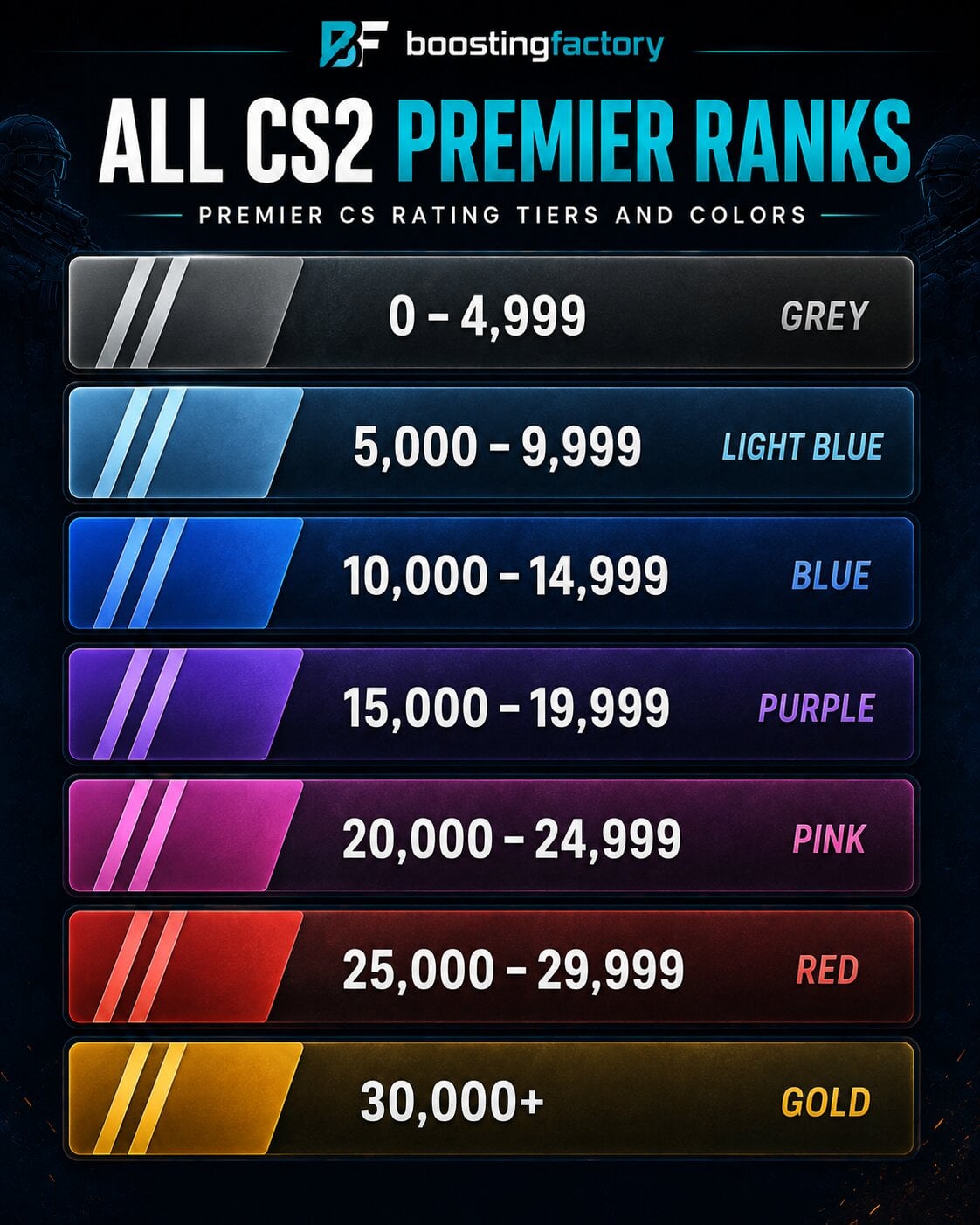
Premier does not give each bracket a traditional rank name. Instead, different rating ranges use different colors.The numerical CS Rating is still what matters. The colors simply make different sections of the ladder easier to recognize.
| CS Rating | Premier Color |
|---|---|
| 0-4,999 | Grey |
| 5,000-9,999 | Light Blue |
| 10,000-14,999 | Blue |
| 15,000-19,999 | Purple |
| 20,000-24,999 | Pink |
| 25,000-29,999 | Red |
| 30,000+ | Gold |
Valve does not publicly state one fixed maximum CS Rating. This means 30,000+ should be treated as the highest color tier rather than a fixed 30,000-35,000 rank.
How to Get Your First CS2 Premier Rating
Premier has stricter access requirements than normal Competitive matchmaking.To play Premier and receive a Premier rating you need:
- Prime Status
- Profile Level 10
- Access to Premier matchmaking
- 10 Premier wins to establish your visible CS Rating
The important word is wins. You do not simply play 10 games. Losses can be part of the calibration process, but they do not count toward the 10 wins required to reveal your rating.
Premier ratings are also recalibrated when a new season begins. Your previous performance is not simply forgotten, but your visible rating has to be established again through the seasonal placement process.
If you want help getting through this part of the ladder, our CS2 Placement Matches Boosting covers Premier placements as well as other ranked modes.
How Premier Gains and Losses Work
Once your Premier rating is active, Premier shows how much rating you can gain or lose from the match.Winning increases your rating and losing reduces it. However, the amount is not always identical from one match to another.
This is why you should be careful with claims such as "20 kills gives you more Elo." There is no official rule where a certain number of kills automatically gives you a fixed amount of CS Rating.
Kills still matter because they help your team win rounds and matches. They just should not be confused with a publicly known direct rating formula.
CS2 Premier Rank Distribution: What Is a Good Rating?
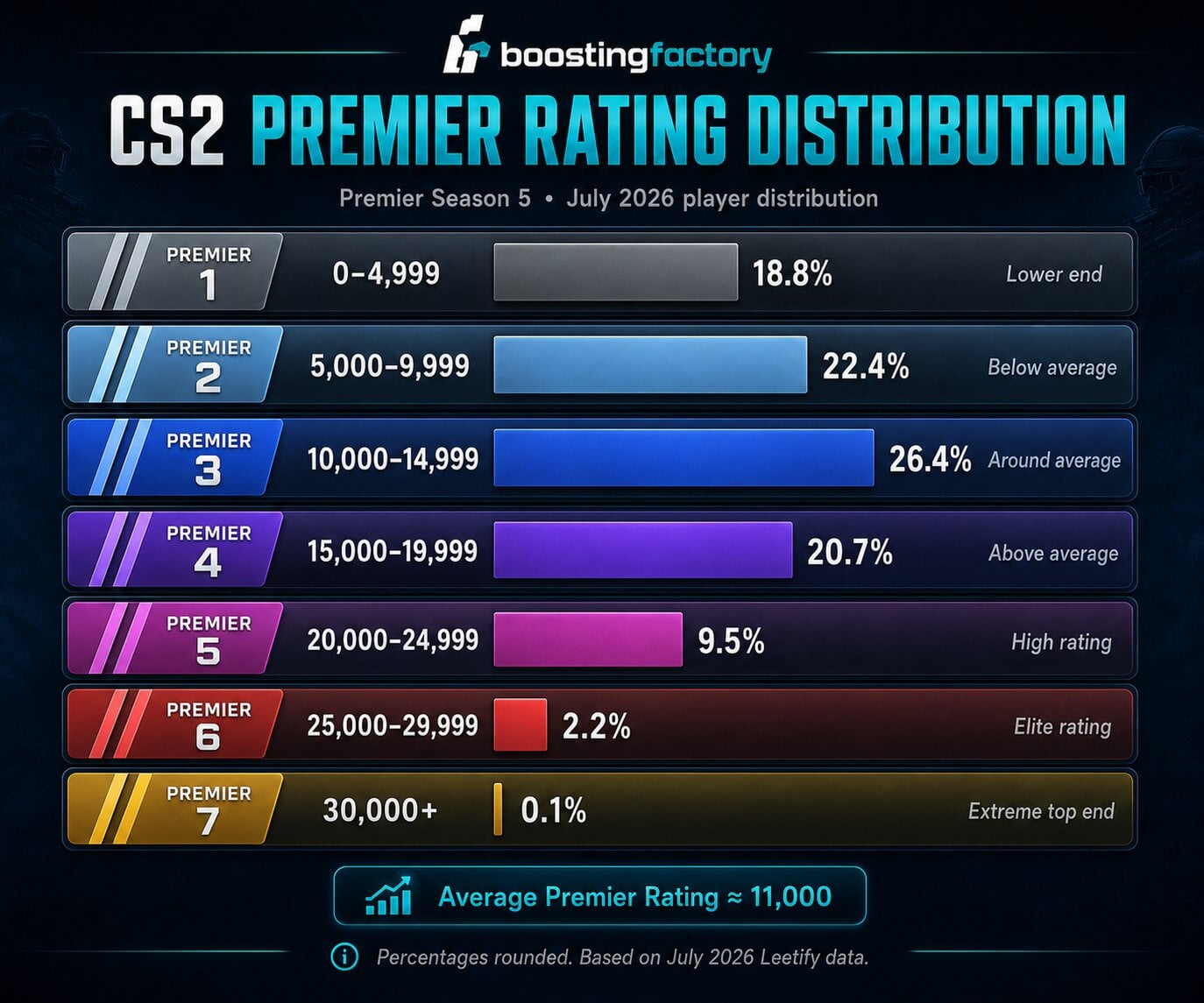 The newest large dataset available as of August 2026 is based on July 2026 Leetify data compiled by Esports Tales. It covers Premier Season 5 and puts the average rating at roughly 11,000 CS Rating.
| Premier Tier | Rating | Approx. Share of Players | General Standing |
|---|---|---|---|
| Grey | 0-4,999 | 18.8% | Lower end |
| Light Blue | 5,000-9,999 | 22.4% | Below average |
| Blue | 10,000-14,999 | 26.4% | Around average |
| Purple | 15,000-19,999 | 20.7% | Above average |
| Pink | 20,000-24,999 | 9.5% | High rating |
| Red | 25,000-29,999 | 2.2% | Elite rating |
| Gold | 30,000+ | About 0.1% | Extreme top end |
Based on this snapshot, around 10,000-11,000 is close to the middle of the Premier population. Reaching 15,000 already puts you comfortably above average.
Once you pass 20,000, the population becomes much smaller. Ratings above 25,000 represent only a small fraction of tracked Premier players, while 30,000+ is extremely rare.
Stuck Below Your Target Premier Rating?
Choose your current and desired rating and climb Premier with help from experienced high-level CS2 players.
View CS2 Premier Boosting
Competitive Rank vs Premier Rating: Which Matters More?
Neither mode completely replaces the other because they measure your progress differently.Competitive is useful when you want to focus on individual maps. Premier is better when you want one rating that represents your performance across the main competitive map pool.
Competitive Is Better If You:
- Want to play only specific maps.
- Are learning a new map.
- Prefer the classic Silver to Global Elite rank system.
- Want your skill on each map measured separately.
- Do not want to rely on a map veto.
Premier Is Better If You:
- Want one rating for your overall Valve matchmaking performance.
- Want to compete on leaderboards.
- Like the map pick and ban system.
- Play across the Active Duty map pool.
- Want a more precise numerical view of your progression.
For players looking beyond Valve matchmaking, CS2 also has third-party competitive platforms. Our CS2 FACEIT guide explains how FACEIT's separate Elo and level system works.
CS2 Competitive Ranks vs Premier Rating Equivalents
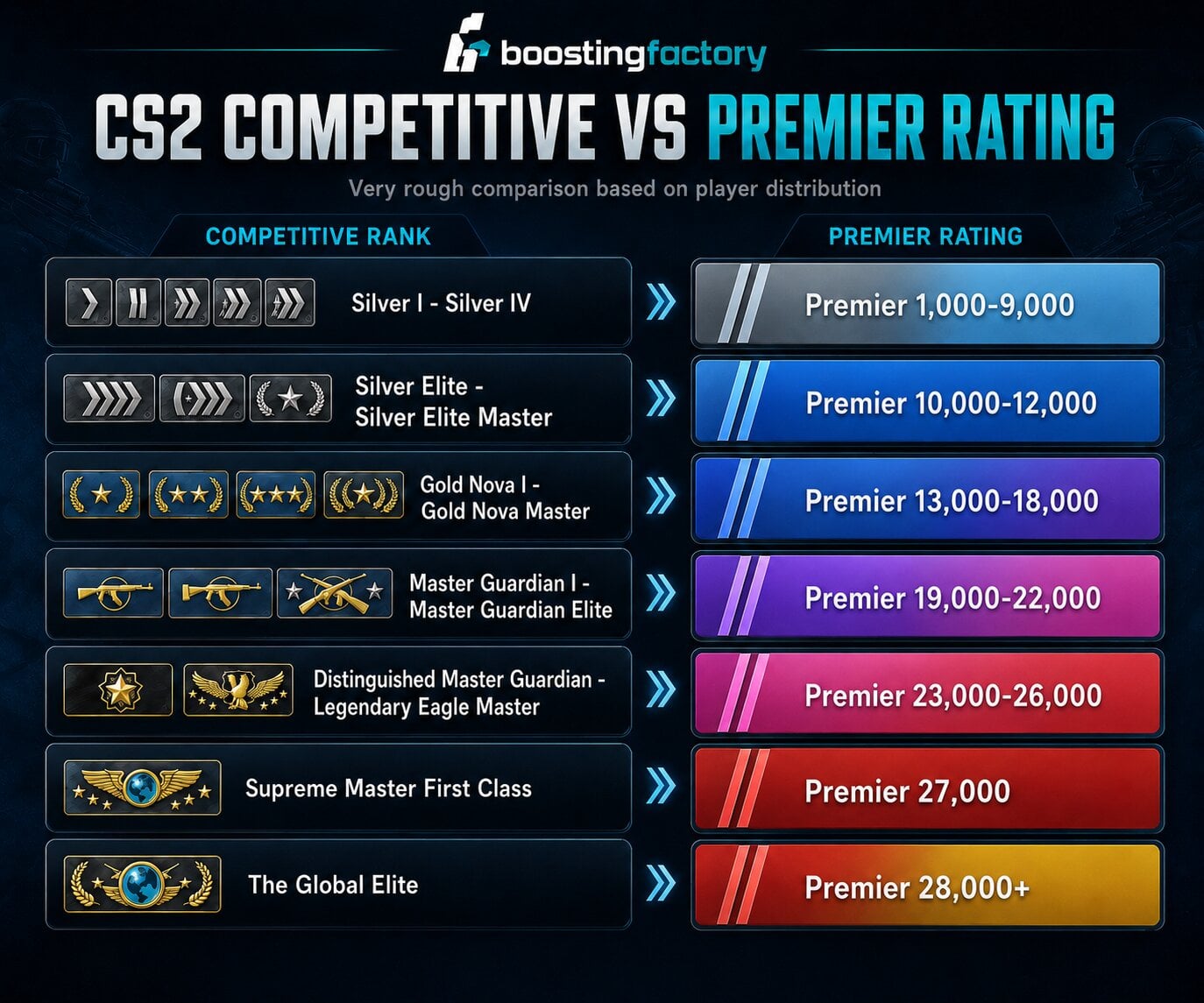
There is no official conversion between Competitive Skill Groups and Premier CS Rating.
The systems are separate, and Competitive becomes even harder to compare because its ranks are map-specific. A player can have several different Competitive Skill Groups while still having only one Premier rating.
Still, July 2026 player-distribution data lets us make a very rough percentile comparison.
| Competitive Rank Range | Very Rough Premier Equivalent |
|---|---|
| Silver I - Silver IV | About 1,000-9,000 |
| Silver Elite - Silver Elite Master | About 10,000-12,000 |
| Gold Nova I - Gold Nova Master | About 13,000-18,000 |
| Master Guardian I - Master Guardian Elite | About 19,000-22,000 |
| Distinguished Master Guardian - Legendary Eagle Master | About 23,000-26,000 |
| Supreme Master First Class | About 27,000 |
| The Global Elite | About 28,000+ |
For example, being Global Elite on Mirage does not mean CS2 will automatically place you at 28,000 Premier rating. The two modes use separate matchmaking systems and measure different pools of matches.
Competitive Rank, CS Rating and Profile Rank Are Not the Same Thing
CS2 actually shows several different types of progression, which is why the word "rank" can become confusing.There are three important systems to understand:
- Competitive Skill Group: Silver I to Global Elite, assigned separately to each Competitive map.
- Premier CS Rating: One numerical rating used in Premier.
- Profile Rank: An XP-based account progression system from Rank 1 to Rank 40.
Profile Rank is not a measurement of competitive skill. You increase it by earning XP from matches.
Once you reach Profile Rank 40, you can claim a Service Medal and reset the Profile Rank progression back to Rank 1. This does not reset your Competitive Skill Groups.
Profile Level 10 is also important because it is required before a Prime player can access Premier.
If account XP is what you want to increase rather than matchmaking rating, our CS2 Profile Rank Boosting service covers that progression separately.
How to Rank Up Faster in CS2
There is no guaranteed shortcut to naturally ranking up. The main goal in both ranked systems is to win more matches consistently.If you want to improve the skills behind your rank, check our How to Get Better at CS2 guide for more help with aim, movement, utility, and other fundamentals.
A few habits can make that much easier:
- Focus on winning rounds, not only getting kills. Saving weapons, trading teammates, planting the bomb, and using utility properly can be more valuable than chasing another frag.
- Specialize in a smaller Competitive map pool. Learning two or three maps deeply is easier than trying to master every map at once.
- Learn basic utility. Reliable smokes, flashes, molotovs, and HE grenades can decide rounds before the main gunfight starts.
- Communicate useful information. Give clear positions, damage, bomb information, and rotations instead of filling voice chat with unnecessary calls.
- Play with consistent teammates. A regular group usually makes trading, site executes, rotations, and communication easier.
- Learn the full Premier pool. You cannot guarantee your favorite map survives the veto, so Premier players need a wider map pool than Competitive specialists.
Also remember that rank changes are a result of many matches. One great game does not automatically mean a rank-up, and one poor game does not mean you suddenly became a worse player.
Frequently Asked Questions
What Is the Highest Rank in CS2?
The highest Competitive Skill Group is The Global Elite. In Premier, there is no traditional highest rank name. The highest color tier begins at 30,000 CS Rating and is usually shown as Gold.Valve does not publicly state one fixed maximum possible Premier CS Rating.
Does CS2 Have a Different Rank for Every Map?
Yes, but only in Competitive mode.Each Competitive map has its own Skill Group. This means you can be Global Elite on one map, Gold Nova on another, and completely unranked on a third.
Premier is different because you have one CS Rating across the full mode.
Is Premier Rank Separate From Competitive Rank?
Yes. Premier CS Rating and Competitive Skill Groups are completely separate ranking systems.Playing Premier does not directly increase your Mirage Competitive rank, and ranking up on Mirage does not automatically increase your Premier CS Rating.
Can I Be Global Elite on One Map and Silver on Another?
Yes.Competitive ranks are assigned on a per-map basis, so large differences between your maps are possible. This is especially common if you regularly play one map but have very little experience on another.
How Many Competitive Ranks Are There in CS2?
There are 18 Competitive Skill Groups in CS2.They start at Silver I and progress through Silver, Gold Nova, Master Guardian, Legendary Eagle, Supreme Master First Class, and finally Global Elite.
What Is a Good Premier Rating in CS2?
Based on the July 2026 player distribution, the average CS Rating is around 11,000.A rating of 15,000 is above average. Reaching 20,000 puts you into a much smaller high-rating group, while 25,000+ is among the top few percent of tracked Premier players.
Do Kills Affect Your CS2 Rank?
Kills clearly help you win games, but Valve does not publish a rule where a certain number of kills directly gives you a certain amount of rating.For Competitive, Valve says Skill Groups are adjusted based on match results but keeps the exact system hidden. Premier shows your potential rating gain or loss around the match, but Valve also does not reveal every part of its matchmaking formula.
The safest way to think about ranking is simple: focus on helping your team win matches consistently instead of trying to optimize one personal statistic.
Does CS2 Rank Decay?
Competitive Skill Groups can become hidden after extended inactivity. If this happens, winning one Competitive match allows the system to reassess and issue your Skill Group again.Premier also uses active and inactive rating states, but Valve does not publish one fixed public inactivity timer that applies to every situation. Premier ratings are also recalibrated when new seasons begin.
Do You Need Prime to Get a CS2 Rank?
Yes.Non-Prime players can access most CS2 modes, including Competitive matchmaking, but Valve does not issue them a Competitive Skill Group or CS Rating.
Premier has an additional requirement. You need Prime Status and Profile Level 10 before you can access the mode.

Global Elite