
BO7 Beta Dates and Access
Early Access
- Dates: October 2–5, 2025
- Access: Players who preordered the game or have Xbox Game Pass Ultimate
- Level Cap: 20
- Preload: Begins October 1, 2025
Open Beta
- Dates: October 5–8, 2025
- Access: Open to all players
- Level Cap: 30
- Preload: Begins October 3, 2025

Infographic: Early Access vs Open Beta Dates
Progression, Prestige, and Weapon Builds
Leveling
- Beta Caps: Early Access - 20, Open Beta - 30
- Experience earned in Multiplayer and Zombies Survival
- Progression carries over between modes
Prestige System
- Reach Level 55 to unlock Prestige
- Reset levels to unlock exclusive rewards
- Weapons can be prestiged for unique attachments and camos

Infographic: Level 55 → Prestige Reset → Rewards
Weapon Build Sharing
- Create and share custom loadouts with a unique code
- Community sharing of effective builds
Rewards You Can Unlock
Early Access Rewards (Levels 1–20)
- Calling Card
- Emblem
- Weapon Charm
Open Beta Rewards (Levels 21–30)
- Operator Skin
- Weapon Blueprint
- Additional cosmetics: calling cards and emblems

Infographic: Reward Progression Across Levels
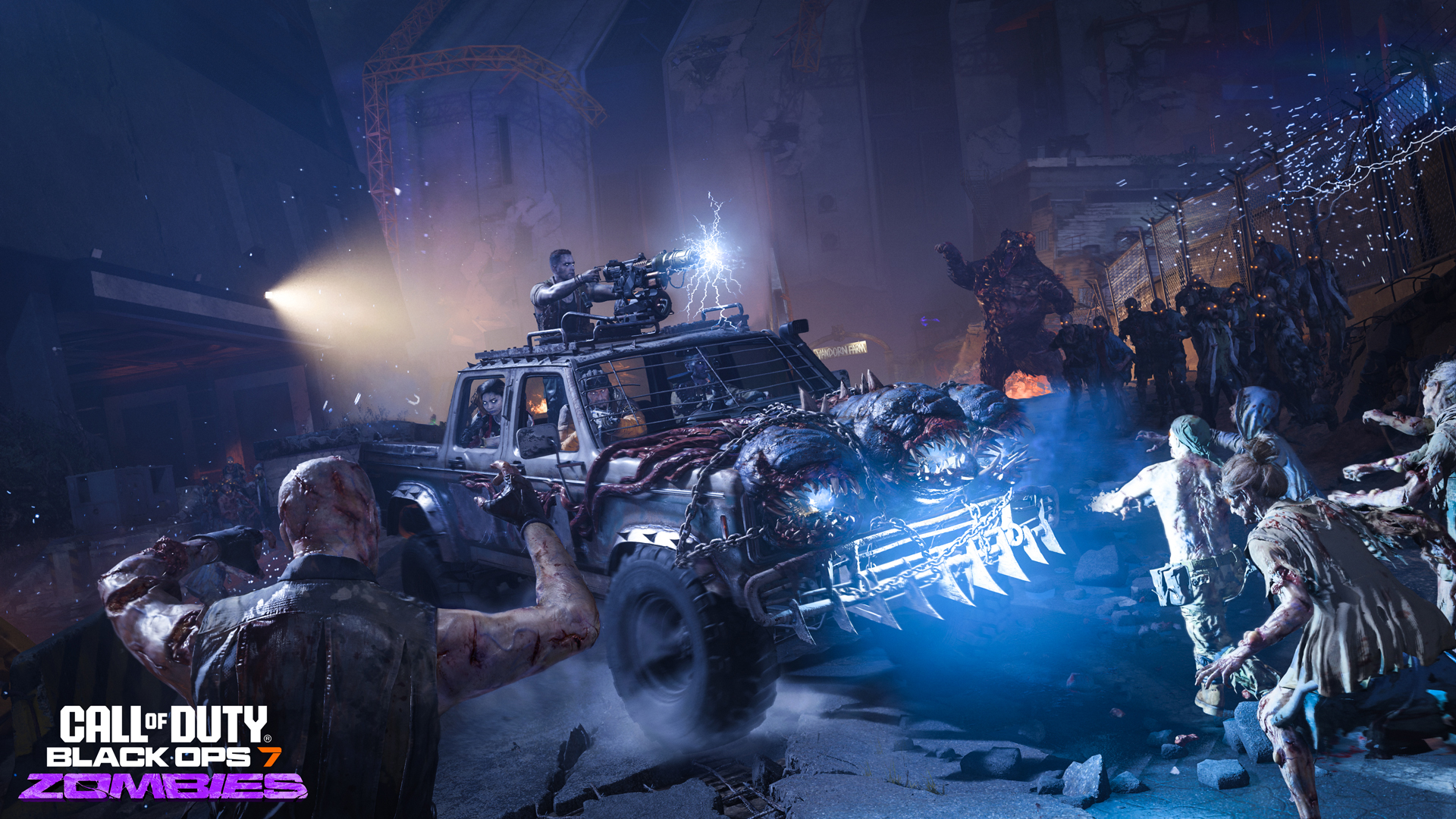
Zombies Survival Mode
- Map: Vandorn Farm – compact arena with choke points
- Gameplay: Round-based survival against waves of zombies
- Features: Traps, barricades, and Wonder Vehicle "Tessie"
- Progression: Level up characters and unlock perks
Anti-Cheat and PC Requirements
Security Features
- TPM 2.0 – Trusted Platform Module version 2.0
- Secure Boot – Ensures only trusted software runs at startup
- RICOCHET Anti-Cheat – Enhanced system integrated into the game
System Compatibility
Black Ops 7 Beta: Minimum Specifications
- OS: Windows 10 64 Bit (latest update)
- CPU: AMD Ryzen 5 1400 or Intel Core i5-6600
- RAM: 8 GB
- Video Card: AMD Radeon RX 470 or NVIDIA GeForce GTX 970 / 1060 or Intel Arc A580
- Video Memory: 3 GB
- Storage Space: SSD with 60 GB available space
- Network: Broadband Internet connection
- Sound Card: DirectX Compatible
Black Ops 7 Beta: Recommended Specifications
- OS: Windows 10 64 Bit (latest update) or Windows 11 64 Bit (latest update)
- CPU: AMD Ryzen 5 1600X or Intel Core i7-6700K
- RAM: 12 GB
- Video Card: AMD Radeon RX 6600XT or NVIDIA GeForce RTX 3060 or Intel Arc B580
- Video Memory: 8 GB
- Storage Space: SSD with 60 GB available space
- Network: Broadband Internet connection
- Sound Card: DirectX Compatible
Stats and Leaderboards
Combat Stats
- Metrics: Kills, deaths, K/D ratio, most used weapons
- Progression: Track growth and performance over time
Leaderboards
- Global Rankings: Compare stats worldwide
- Friends List: See rank against friends and clan members
- Mode-Specific Stats: Zombies Survival – rounds survived, highest scores

Visual: Track Your Stats & Compare With Friends
Read more: Black Ops 7 Camos - Everything We Know So Far
Maps and Modes
Multiplayer Maps
| Map | Feature |
|---|---|
| Blackheart | Urban warfare with tight corridors |
| Cortex | Futuristic lab with open spaces |
| Exposure | Industrial zone with sniper points |
| Forge | Mixed indoor/outdoor combat |
| Imprint | City streets with verticality |
| Toshin | Compact map with close-range action |
Game Modes
- Traditional Modes: Team Deathmatch, Domination, Kill Confirmed, Search & Destroy
- New Modes: Overload – control battles over a device; Kill Order – new competitive mode

Visual: Multiplayer Modes and Objectives
BO7 Beta Leveling
If you haven't got the time, our pro team of Black Ops 7 Boosters can help you level up your BO7 Beta account to 30 to secure rewards.Visit our BO7 Beta leveling service page and customize your order. Our pro will get on it today, no cheats, no funny business. Just grind and skill.

Top 250
Get your BO7 rewards now.